
A form-native workflow lets a customer fill in a guided online form, watch their answers auto-generate a contract, sign it with a legally binding e-signature under ESIGN and UETA, and pay a deposit, all in one session. KSign.co and comparable platforms build around this exact sequence rather than starting from an uploaded PDF. The result for a small business: signed agreements land sooner, deposits clear before the job starts, and nobody chases a client for a scanned form.
TL;DR:
- A form-native workflow automates the entire contract signing and payment process within a single session, reducing delays and manual work.
- Key features include conditional logic forms, automatic mapping of answers into contracts, inline signing, and integrated deposit payment support.
- Prioritize platforms that generate contracts from forms, ensure legal compliance, support mobile signing, and include built-in payment gateways for efficiency and security.
- Small businesses should test the entire flow on mobile devices before live deployment and avoid relying on upload-only PDF workflows to maximize automation.
- Using industry templates and confirming the final document layout can prevent legal risks and save time during setup and scaling.
Table of Contents
- How Does A Form-to-Contract Workflow Actually Work?
- What Should A Small Business Prioritise When Choosing A Solution?
- How Do You Set Up A Form, Contract and Payment Flow?
- How Do Tradies, Photographers and Clinics Use This Workflow?
- What Mistakes Cost You Time Or Create Legal Risk?
- Why This Workflow Matters More Than The Software Itself
- Get Your Own Form-to-Contract Workflow Running
- Further Reading On Forms, Signing and Payments
- FAQ
How Does A Form-to-Contract Workflow Actually Work?
The mechanics matter because a weak link anywhere in the chain, a missing signature slot, a payment step bolted on separately, undoes the whole point of running one workflow instead of three.
- Build a guided form with conditional logic. Ask only the questions relevant to that customer’s job, quote, or intake, and mark the fields you need for the contract as required so nothing generates with blanks.
- Map those answers into a contract template. Inline variable tokens in the contract text pull the client’s name, job scope, price and date straight from the form fields, so the document writes itself instead of someone copying and pasting it after the fact.
- Present the contract inside the form with signer slots. Rather than emailing a separate PDF to sign, the generated agreement appears in the same session, with inline signature fields assigned to specific signer slots for each party involved.
- Store the finished PDF and audit trail. Once every signer completes their slot, the platform seals a finished PDF that merges the answers, signatures and audit trail (timestamp, IP address, consent record) for bookkeeping and compliance.
Each step removes a handoff. Skip the mapping step and you’re back to manual data entry. Skip the payment step and you’re sending a second link after the ink dries.
What Should A Small Business Prioritise When Choosing A Solution?
Most e-signature tools were built for people who already have a finished document and just need it signed. That’s the wrong starting point for a business that needs to collect information first. When you’re comparing platforms, weigh these factors against what your business actually does day to day, not what an enterprise legal team would want.
- Form-native generation over upload-only PDFs. If the tool can’t turn form answers into a contract automatically, you’re still doing manual assembly work.
- Legal compliance and audit trail. Confirm the platform meets ESIGN and UETA standards, and that drawn or typed signatures are accepted for your type of agreement, most standard business contracts qualify, though some regulated documents need extra steps.
- Tamper evidence. The sealed PDF and its audit trail should be locked against edits once signed, not just stored as an editable file.
- Payment gateway support. Look for built-in deposit and fee collection, not a separate invoicing step after signing.
- Mobile signing experience. If your team or clients sign from a job site or their phone, test it on a phone before you commit.
- Industry templates. A tradie contract template saves more setup time than a blank canvas ever will.
- Transparent pricing. Flat, seat-based pricing suits a small operation far better than per-envelope charges that punish growth.
Pro Tip: Send yourself a test contract on your own phone, over mobile data, before you roll a new form out to customers. Most signing friction shows up on a small screen with a patchy connection, not on your office monitor.
How Do You Set Up A Form, Contract and Payment Flow?
You don’t need a developer for this. Most small businesses can go from blank page to a working sign-and-pay form within a day, if you follow the sequence in order rather than jumping straight to the contract text.
- Map the customer journey. Decide what data you actually need, job address, scope, price, and nothing more.
- Choose an industry template. Adapt an existing HVAC service agreement or similar template rather than writing clauses from scratch, then map your form variables into it.
- Set up signer slots and order. Decide who signs first, assign fields to each slot, and turn on identity verification if the document carries real legal weight.
- Configure payment rules. Set your deposit percentage or flat fee, connect the payment gateway, and run a live test transaction before anyone else sees the form.
- Test the whole flow end to end. Fill in the form yourself, sign it, pay the test deposit, then check the final PDF for layout issues, automated merges can shift text and whitespace in ways a quick proofread catches.
- Train your staff and go live. Publish the form publicly or send private signing links, whichever fits how your leads arrive.
A single-template pilot on one live job is the fastest way to validate the whole chain before you roll it out across every service line you run.
How Do Tradies, Photographers and Clinics Use This Workflow?
The same form → contract → sign → pay pattern shows up across wildly different industries. Only the fields and clauses change.
- Tradies: a quote form generates the job agreement, the client signs and pays a deposit in one sitting, and a completion sign-off form closes the job with a signature and photo evidence attached.
- Photographers: a booking enquiry form becomes a contract covering usage rights and cancellation terms, with the deposit collected the moment the client signs.
- Accountants: a client onboarding form feeds straight into an engagement letter, so the new client signs off on scope and fees before any work starts.
- Allied health providers: an intake form captures patient details, treatment consent and payment authorisation together, cutting the paper stack at reception to zero.
- Field service teams: photos, notes and a client signature merge into one final PDF at job completion, giving you proof of work without a separate app.
Every one of these examples runs on the same three-part logic: collect once, generate automatically, sign and pay in the same session.
What Mistakes Cost You Time Or Create Legal Risk?
Most problems with a form-and-signature rollout trace back to five avoidable mistakes.
- Sticking with upload-only PDF workflows. If someone still has to copy form answers into a document by hand, you haven’t actually automated anything.
- Skipping explicit signer consent. Every signature capture needs a clear consent and intent step, not just a signature box, or you weaken the legal standing of the whole document.
- Ignoring mobile abandonment. A clunky mobile signing or payment page loses signers halfway through; test on a real phone before launch.
- Missing pricing traps. Per-envelope or per-document fees can quietly outgrow a flat-rate plan once volume climbs, check the fine print before you scale.
- Skipping the final PDF check. Automated merges occasionally shift legal text or leave awkward whitespace, so validate the finished document before it goes to a real client.
Pro Tip: Run your highest-value contract type through the full flow twice, once as the customer, once as the reviewer, before you trust it with a real deposit.
Why This Workflow Matters More Than The Software Itself
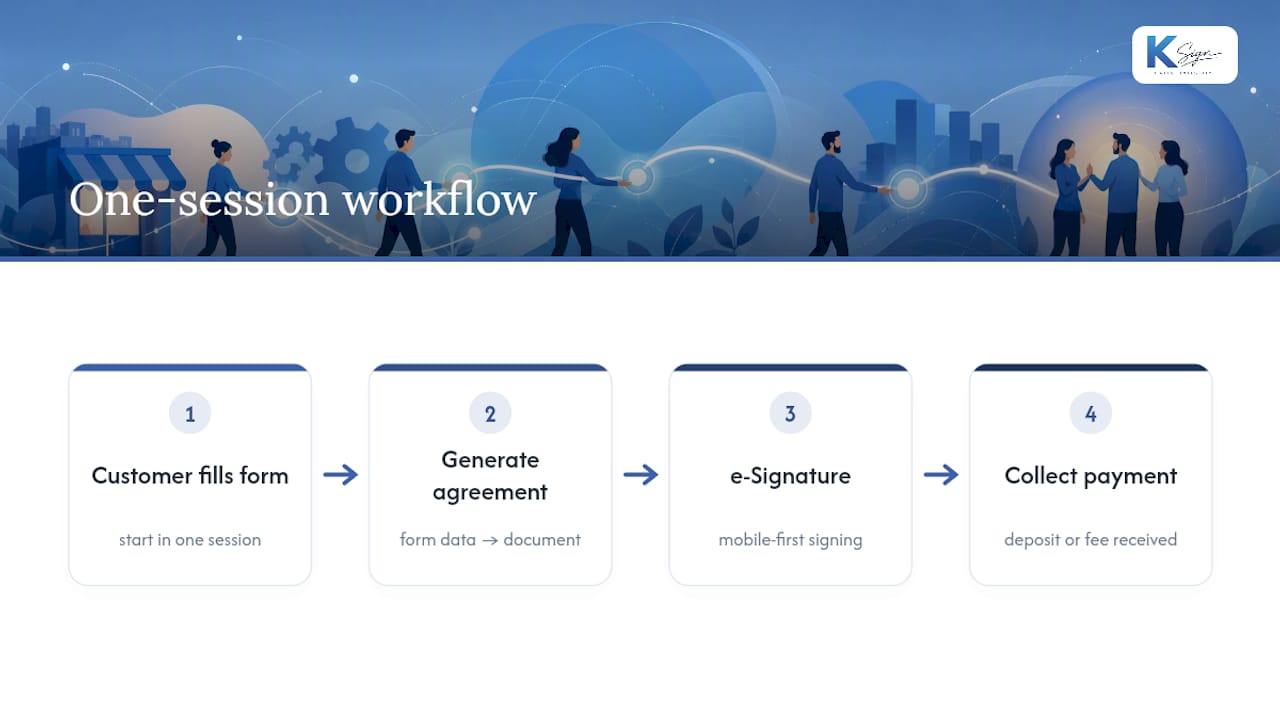
The productivity gain isn’t really about e-signatures. It’s about collapsing three separate tools, a form, a document, a payment link, into one session a customer completes once. That single change speeds up approvals, pulls deposits forward in your cashflow, and removes the awkward follow-up email asking someone to please sign the attached PDF.
KSign is built around that exact sequence, with industry templates and mobile-first signing aimed at trades and field service work. If you’re piloting this yourself, start with one template and one live job, measure how long it takes from form open to signed and paid, then expand from there.
— Josh
Get Your Own Form-to-Contract Workflow Running
Everything covered above, guided forms, auto-generated contracts, inline e-signatures, deposit collection, works because KSign was built around that exact sequence rather than bolted together from separate tools. It starts with the customer’s answers, not a blank PDF, which is the core difference between KSign and traditional upload-and-sign platforms.

The platform offers mobile-friendly templates for various service businesses to help adapt existing agreements instead of drafting clauses from scratch. Payment collection sits inside the same signing session through embedded payment tools, and every completed document stores its audit trail automatically.
Plans run at A$24 per seat per month on Standard and A$40 on Professional, with Enterprise pricing available on request. Head to the pricing page to compare plans, or start a trial and build your first form-to-contract flow this afternoon.
Further Reading On Forms, Signing and Payments
- KSign’s web forms solution, for a fuller look at industry templates and form logic.
- Contract automation features, covering how form answers map into finished agreements.
- Field service forms for tradies, with practical examples for trades and mobile crews.
- A 30 minute sign-and-pay setup guide, for a faster first build.
FAQ
Is An E-Signature On A Form Legally Binding?
Yes. Drawn or typed signatures captured through a form are generally valid under ESIGN and similar e-signature law for most standard business contracts. Highly regulated documents, such as certain wills or specific government filings, may need extra steps. Check requirements for your document type.
Can I Collect A Deposit While A Customer Signs?
Yes, most form-native platforms let you add a payment step inside the signing session itself, so the client pays a deposit or fee the moment they sign rather than after a separate invoice. This integrated approach is known to improve deposit collection rates compared to sending a payment link afterwards.
What Does KSign Cost For A Small Business?
KSign runs on tiered plans starting at A$24 per seat per month for Standard and A$40 for Professional, with Enterprise pricing available on request through the pricing page.
Do Customers Need An Account To Sign A Form?
No, many form-native tools support no-account signing, where the recipient completes and signs without creating a login. This speeds up completion, though you should weigh identity verification options against the risk level of the document.
What’s The Biggest Mistake Businesses Make Switching To This Workflow?
Treating it as a straight PDF-upload replacement rather than rebuilding the process around the form. Businesses that keep manually copying form answers into a separate contract lose most of the time savings the workflow is meant to deliver.