
Get a fillable contractor service agreement template, then customise the parties, scope of work, payment terms, and dates for your specific job. A solid template covers most standard engagements without a lawyer on retainer. Before you send it, check your state’s contract law and confirm the worker classification is correct, because no clause overrides how the arrangement actually operates.
TL;DR:
- Ensuring scope and deliverables are specific prevents scope creep and reduces payment disputes, especially with milestone invoicing and deposit triggers.
- Confirming the worker’s classification depends on the actual controlling operational facts, not just the contract language, to avoid misclassification penalties.
- Collecting a W-9 before the first payment and filing Form 1099-NEC when thresholds are met are essential for compliance with tax reporting requirements.
- Using a digital, guided contract workflow streamlines quoting, signing, and deposit collection, particularly on mobile for field service businesses.
- Complex projects involving intellectual property, high-value construction, or employment-like relationships require legal review before signing contracts.
Table of Contents
- What is a contractor service agreement template, and when do you need one?
- How do you write or edit each key clause?
- How do you customise the template for state law, classification, and tax?
- How do you actually use the template, from download to paid contract?
- What mistakes turn a good template into a bad contract?
- From filled form to signed, paid contract: a practical workflow
- When a template is enough, and when to call a lawyer
- A form-native way to get contracts signed and paid
- Where to check the details
- Sources
What is a contractor service agreement template, and when do you need one?
A contractor service agreement, sometimes called an independent contractor service agreement or contractor service contract, is the written record of what one party will do for another, when, and for how much. It sits alongside the more general service agreement template used by consultants and agencies, but with clauses specific to hiring someone outside your payroll—contractor status, liability, and insurance.
You need one any time money changes hands for defined work, whether that’s a single renovation job, a recurring service agreement for monthly bookkeeping, or an ongoing service agreement with a maintenance contractor. Verbal deals and text-message quotes are the two most common causes of payment disputes in small trade and service businesses. A signed agreement, even a short one, gives both sides something to point to.
The essential checklist before you fill anything in
Run any template, including your own, against this list before you send it out.
- Parties and contact details. Legal names, business names if applicable, addresses, and who signs for each side.
- Scope of work and deliverables. Specific tasks, not a general description of the trade.
- Term and completion date. A start date and either a fixed end date or a renewal mechanism.
- Compensation, deposits, and invoicing. Rate, total price, deposit amount, and when invoices are due.
- Contractor status clause. A statement that the worker operates as an independent business, not an employee.
- IP and confidentiality. Who owns what’s created, and what stays private.
- Insurance requirements. Minimum coverage and proof required before work starts.
- Termination and dispute resolution. How either party exits, and where disagreements get resolved.
- Signatures and dates. Both parties, dated, ideally with an e-signature audit trail.
- Optional exhibits. Rate sheets, milestone schedules, or technical specs attached separately.
The fields that need actual numbers, not placeholders, include the price, the deposit amount, and the completion date. Everything else can start from boilerplate. If the job might change scope mid-way, a change order template belongs in the package from day one, not bolted on after the first dispute.
How do you write or edit each key clause?
Templates fail most often at the scope clause, not the fine print. A tight scope names deliverables and how you’ll know they’re done: “Install 6 downlights in the kitchen per attached diagram” beats “Electrical work as required.” Push technical detail into an exhibit rather than cramming it into the body, since exhibits are easier to update without touching the signed contract.
Payment terms need three things: the amount, the trigger, and the penalty for lateness. Milestone invoicing works better than lump-sum payment on any job running longer than a few weeks, because it keeps cash moving and gives you a natural checkpoint to pause work if a client stops paying. A deposit collected at signing, rather than promised for later, is the single biggest predictor of whether a job proceeds smoothly.
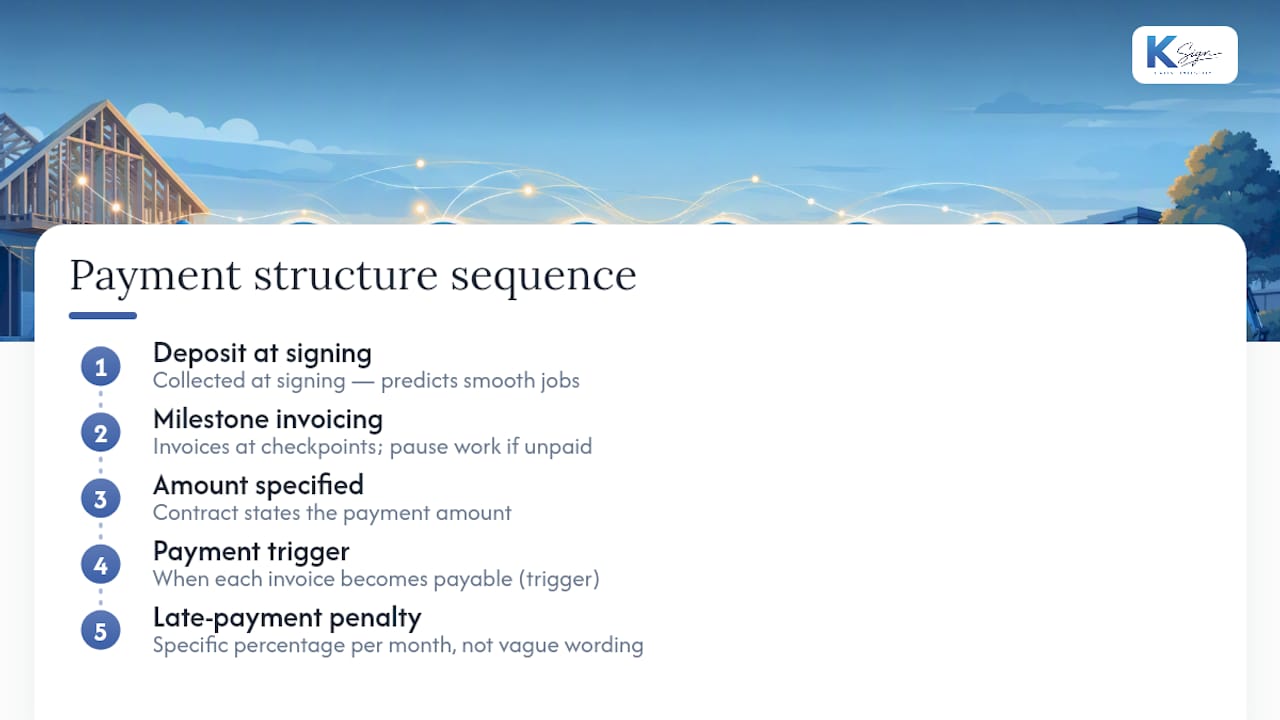
Pro Tip: Tie your late-fee clause to a specific percentage per month, not a vague “interest may apply” line. Courts and clients both respond better to a number they can calculate themselves.
The contractor status clause matters, but don’t oversell it. Essential sections of a robust agreement include detailed scope, term, and compensation, plus explicit independent contractor language, though the label in the contract is only one input into how a worker is actually classified.
On intellectual property, decide upfront whether you’re assigning ownership outright or licensing it, and whether that transfer happens on signing or on final payment. Tying IP transfer to payment gives you leverage if a client stalls. Termination clauses should include a notice period and a short cure period for minor breaches, plus a dispute-resolution method, mediation or arbitration, so a disagreement doesn’t automatically become a lawsuit. Insurance clauses should state minimum coverage amounts and require a certificate before work begins, not after.
How do you customise the template for state law, classification, and tax?
Choice of law matters more than most small business owners assume. Pick the state where the work physically happens, or where you’d realistically go to resolve a dispute, and name it explicitly in the contract. A template written for one state’s contract rules can create gaps if you’re operating somewhere with different requirements around liens, licensing, or arbitration.
Worker classification is the area where templates most commonly get people into trouble. The Fair Labor Standards Act and Department of Labor guidance set the framework, and the contract’s wording doesn’t override the operational facts. A worker you control closely, on your schedule, with your tools, can still be classified as an employee regardless of what the contract calls them, because classification depends on how the arrangement actually functions, not the label attached to it.
On tax paperwork:
- Collect a completed W-9 from any US contractor before the first payment goes out.
- File Form 1099-NEC when payments cross the current reporting threshold, which has shifted in recent years, so check the figure for the tax year you’re filing in.
- Keep signed agreements and W-9s together in one record for each contractor.
Pro Tip: Collecting the W-9 up front, before any work starts, is worth doing even when you’re unsure whether you’ll hit the filing threshold. It costs nothing and closes the gap if the relationship grows into something bigger than expected.
If a job involves complex IP assignment, high-value construction, or a relationship that looks more like employment than contracting, get a payroll adviser or lawyer to review before you sign, not after.
How do you actually use the template, from download to paid contract?
- Pick the right variant. A one-off project needs different terms than a retainer or a recurring service agreement covering monthly work.
- Fill the essential fields. Names, scope, price, deposit, dates. Attach any rate sheets or technical exhibits separately.
- Collect the W-9 first if you’re paying a US contractor, before any invoice goes out.
- Send for e-signature and request the deposit at the same time. Signing and paying in one step removes the awkward follow-up call.
- Store the signed copy with its audit trail. A dated, timestamped PDF with signature evidence protects both sides if a dispute arises months later.
The fewer steps between “client agrees” and “contract signed, deposit paid,” the fewer deals fall through in the gap.
What mistakes turn a good template into a bad contract?
Most disputes trace back to the same handful of errors, and every one of them is preventable at the drafting stage.
- Vague scope language invites scope creep, and scope creep is the number one source of contractor payment disputes.
- Missing payment milestones mean you’re owed money with no contractual trigger to demand it.
- No documentation of contractor control, meaning who sets the hours, supplies the tools, directs the work, creates real misclassification exposure regardless of the contract’s wording.
- Overreaching IP or non-compete clauses get thrown out by courts in some states and can sour an otherwise good working relationship.
- No insurance requirement, or no certificate collected, leaves you exposed if something goes wrong on site.
- Skipping change orders when scope shifts, which turns a documented job into an argument about what was originally agreed.
Pro Tip: If a job is likely to change shape, negotiate the change-order mechanism into the original contract, not after the first scope disagreement lands on your desk.
A subcontract agreement needs the same checklist applied one layer down if you’re bringing in your own subcontractors under the main job.
From filled form to signed, paid contract: a practical workflow
The friction in most small business contracting isn’t the legal content. It’s the handoff between quoting, signing, and collecting a deposit, usually spread across email, a separate e-signature tool, and a separate payment link. A form-native workflow collapses that into one sequence: a guided form collects the client’s answers, those answers auto-generate the agreement, the client signs electronically, and the deposit or invoice is collected in the same step.
For trades and field service businesses, this matters most on mobile. A quote approved from a job site, signed on a phone, with a deposit collected before the van leaves the driveway, closes the gap where jobs used to stall for days.
- Industry-specific templates for cleaning, construction, and trade services reduce the drafting work to filling fields, not writing clauses from scratch.
- Signed documents and their audit trails stay stored against the client record, so nothing gets lost in an inbox.
- A service agreement template built for recurring work suits businesses billing the same client monthly rather than per job.
Documented use cases across why cleaning businesses need signed contracts show how much smoother repeat billing runs once the paperwork is standardised rather than rebuilt for every client.
When a template is enough, and when to call a lawyer
Templates handle the majority of standard, lower-risk jobs well: a fixed-scope trade job, a short-term consulting engagement, a recurring cleaning contract. Where I’d get bespoke advice is complex IP arrangements, high-value construction with staged payments, or any relationship that looks like it could be reclassified as employment. With e-signatures and deposit collection built into the same step, most straightforward agreements can go from sent to signed and paid within a day. My three-item checklist for busy owners: confirm the scope is specific, confirm the deposit trigger is in writing, and confirm you’ve collected a W-9 before the first invoice goes out.
— Josh
A form-native way to get contracts signed and paid
Everything covered above, the scope clause, the deposit trigger, the W-9 collection, still has to move through an actual workflow, and that’s where most small businesses lose time chasing signatures across email threads and separate payment links. A digital contract platform can build that workflow into one step: a guided form collects the client’s details, the answers auto-generate the agreement, the client signs electronically, and the deposit or invoice gets collected at the same moment, with a stored audit trail behind it.

Industry templates cover trades, cleaning, and field service work specifically, and the mobile-friendly design means a quote can go from approved to signed to paid without anyone touching a laptop. If you’re tired of rebuilding the same contract by hand for every new client, start with contract automation and see how a filled form turns into a signed, paid agreement in one pass.
Where to check the details
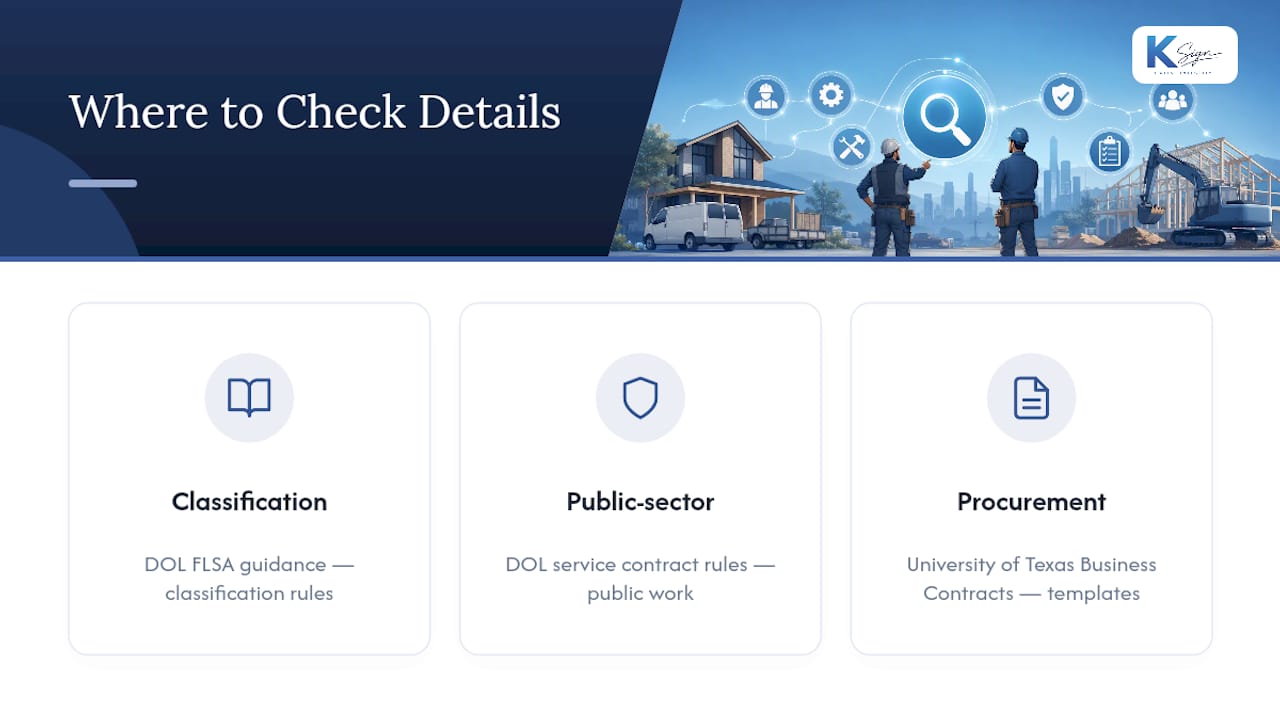
For classification rules, consult the Department of Labor’s FLSA guidance. For public-sector work, see DOL service contract rules. For procurement-style templates, University of Texas Business Contracts is a solid reference.
Sources
- What to include in independent contractor agreements — U.S. Chamber of Commerce
- Fair Labor Standards Act (FLSA) — U.S. Department of Labor
- Free independent contractor agreement template (2026) — ClearLegalTips