
A media release form is a signed document that gives you legal permission to use someone’s photo, video, or audio recording for a stated purpose. You need one any time footage or images identify a real person and will be used commercially, in advertising, or in promotional material. This guide gives you a plain-language checklist, a copy-ready template, and a digital workflow for collecting signatures reliably.
TL;DR:
- Vague language in media releases increases the risk of legal disputes, so clear scope, rights, and permitted uses must be explicitly outlined.
- Including specific details on scope, territory, and duration for each use channel prevents future enforcement issues or misunderstandings.
- Digital signatures with timestamps and linked metadata are essential for reliable, legally binding storage, especially when managing multiple releases.
- Signatures from minors require a guardian’s consent, and high-value or healthcare imagery may need notarization or specialized forms for enforceability.
- Short, clear releases with checkboxes and specific scope details are signed faster and reduce disputes compared to complex, lengthy legal language.
Table of Contents
- What should a media release form include?
- Copy this media release template
- How do you collect and store signatures properly?
- What legal traps should you watch for?
- How does a small business run this without the admin headache?
- Why shorter releases get signed faster
- Get your media release signed and stored in minutes
- Sources
What should a media release form include?
A release built from vague language causes more disputes than one built without a lawyer at all. The fix is structure, not legalese. A workable media release covers a fixed set of clauses, and skipping any one of them is usually what turns a routine shoot into a legal headache six months later.
Start with the basics: full names of the person granting rights (the “grantor”) and the business or individual receiving them (the “grantee”), plus enough detail about the event or session to identify it later, such as date, location, and a brief description of what was filmed or photographed.
Next comes the part most templates get wrong. Instead of one line granting “marketing use”, spell out exactly what’s permitted using a scope grid with three cells: use, territory, and term. Contract-template guides like Juro recommend listing specific channels (website, social media, paid advertising, internal training) rather than a catch-all phrase, because vague grants make signers hesitant and make enforcement murkier if a dispute arises later.
A solid release also needs:
- Grant of rights stating whether the use is exclusive or non-exclusive
- Permitted uses, itemised by channel, with a note on whether new uses require a fresh release
- Territory and term, even if the answer is simply “worldwide” and “indefinite”
- Editing rights, covering cropping, colour grading, and combining footage with other material
- Compensation or consideration, stated plainly even when the answer is “none, in exchange for a free copy of the images”
- Release and waiver language, releasing the business from liability tied to the agreed use
- Signature block with date, a witness line where relevant, and a guardian signature field for minors
- Governing law, naming the state or jurisdiction that applies if a dispute goes to court
Leave any of these out and you’re relying on goodwill rather than a document. Goodwill doesn’t hold up when a signer later objects to seeing their face in a paid ad campaign they never agreed to.
Copy this media release template
Below is a plain-language structure you can paste into Word, Google Docs, or a form builder and adapt to your own use case, whether that’s an event, a portrait session, or a client testimonial video.
- Header: “Media Release and Consent Form”, with fields for the grantor’s name, the grantee’s business name, and the date and location of the session.
- Scope grid: three boxes labelled Use, Territory, and Term, each with a short fill-in line (e.g. Use: website and social media; Territory: worldwide; Term: three years from signing).
- Permitted uses checklist: checkboxes for Website, Social Media, Print Advertising, Paid Digital Ads, and Internal Training, so the signer ticks only what they agree to.
- Compensation line: “In exchange for [describe payment, product, or service, or write ‘no compensation’].”
- Release and waiver clause: a short paragraph stating the signer releases the grantee from claims related to the permitted use, including any relating to distortion or lawful editing.
- Minor clause: a conditional field that only appears if the subject is under 18, requiring a parent or guardian’s name and signature.
- Special restrictions line: a blank field for anything excluded, such as “not to be used in political advertising.”
- Signature block: printed name, signature, date, and (where relevant) a witness or guardian signature.
This structure mirrors the sections found in Columbia University’s photo and video release template, which is a solid model because institutions need the same clarity you do: who’s covered, for what, and for how long.
How do you collect and store signatures properly?
Paper is fine for a one-off shoot with a handful of participants. It becomes a liability the moment you’re running events, recurring shoots, or anything involving minors, because paper forms get lost, and “I think I signed something” isn’t evidence.
Digital signing solves this by attaching a timestamp, signer identity, and an audit trail to every signature, which NIST’s guidance on electronic signatures treats as adequate evidence for most consent workflows. That trail is usually all you need unless you’re dealing with high-value commercial licensing.
Practical steps for reliable storage:
- Collect the signature at the point of capture, before the camera comes out, not days later by email
- Use conditional fields so a guardian signature field only appears when the subject’s age is entered as under 18
- Name each file consistently, linking the signed release to the specific asset it covers (for example, event_2026 06 01_smith_IMG042)
- Store metadata alongside the release: date, location, and which permitted-use boxes were ticked
Pro Tip: Tag each signed release with the exact filenames it covers at the moment of signing. Chasing down “which release matches which photo” eighteen months later is far harder than adding one field now.
What legal traps should you watch for?
The biggest mistake is assuming that owning the image file means you own the right to use it commercially. You don’t. Copyright covers who owns the photograph or recording; a release covers the subject’s right of publicity, which is a separate legal concept entirely. As McNeely Law explains, you can hold full copyright over a photo and still be barred from using it in an ad without the subject’s consent.
Minors are the second common trap. A signature from a 16-year-old carries no legal weight on its own; you need a parent or legal guardian to sign, and the wording should explicitly state that the guardian has authority to consent on the minor’s behalf.
A few more edge cases worth flagging:
- Notarisation isn’t required for everyday releases, but it can add evidentiary weight for high-value commercial licensing deals where a lot of money rides on enforceability.
- Patient or clinical images fall under HIPAA in the US healthcare context and need a specialised consent form, not a generic media release. Institutional templates like Columbia’s are a better starting reference here than a generic online form.
- Vague permitted-use language (“for marketing purposes”) is the single most common drafting error, and it’s the one most likely to cause a signer to refuse or a dispute to arise later.
How does a small business run this without the admin headache?
The businesses that get the most signatures with the least friction build the release into their booking or intake form, rather than treating it as a separate step. The form itself asks plain questions: name, date, which uses are okay (tick boxes, not paragraphs), and a conditional guardian field if the subject is under 18.

From there, the form’s answers auto-populate a release document, the signer e-signs on their phone in under two minutes, and the signed file gets stored with searchable metadata linking it to the exact shoot or asset. That workflow, covered in more detail in Ksign’s guide to digital permission slips, cuts down on chasing signatures after the fact and reduces disputes because everyone ticked specific boxes rather than agreeing to something vague.
Why shorter releases get signed faster
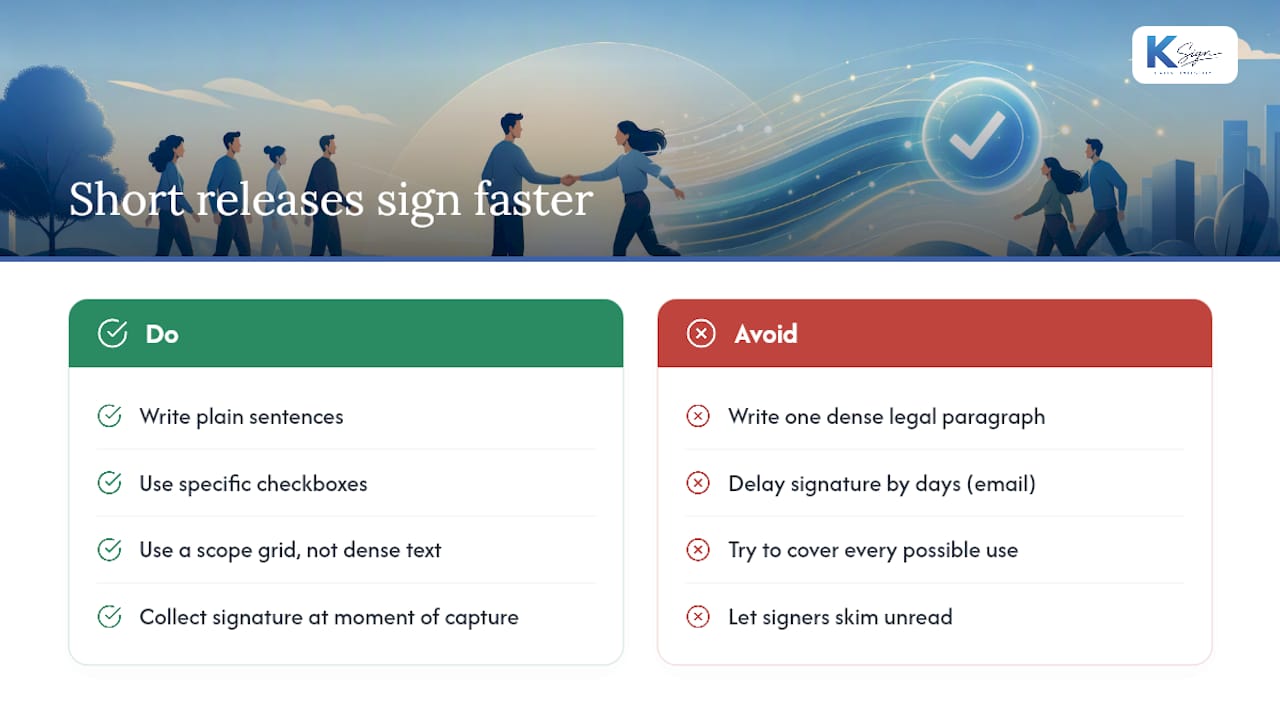
Every release I’ve seen fail in practice failed for the same reason: it tried to cover every possible future use in one paragraph of dense legal language, and the signer either refused to sign or signed without reading it, which defeats the purpose of informed consent.
The releases that work are boring in the best way. Plain sentences, specific checkboxes, a scope grid instead of a wall of text. Collect the signature at the moment of capture, not three days later over email, because that’s when your response rate collapses. Take the template above and cut anything that doesn’t apply to your situation. A release that’s too long to read gets skimmed, not understood, and an unread signature is a weak signature.
— Josh
Get your media release signed and stored in minutes
Building the checklist above into a Word document is fine for occasional use, but it falls apart once you’re running events regularly or managing releases from dozens of participants a month. Ksign turns the whole process into one workflow: a guided form collects the grantor’s details and permitted-use choices, auto-generates the release with your scope grid already filled in, and routes it for a legally binding e-signature on the spot.

Conditional logic handles the guardian field automatically when a signer enters an age under 18, and every signature carries a timestamped audit trail stored alongside the media it covers, so you’re never guessing which release matches which file. It’s built for mobile signing, which matters when you’re capturing consent at an event rather than back at a desk. If you run shoots, events, or client sessions often enough that paper forms are becoming a filing problem, try building your release inside Ksign’s contract automation tool and see how quickly a signed, storable release comes together.
Sources
- Free Media Liability Release Form - eForms
- Photo and video release form template — Columbia University
- Media release consent form template — Juro
- Media press releases for events — McNeely Law