
A digital permission slip is an online consent, waiver or service approval form that a customer completes and signs electronically, creating a timestamped, tamper-evident record you can produce if a job or a claim is ever questioned. Before you send your first one, confirm three things: the consent wording is unambiguous, the signature captures a timestamp and identity data, and the signed record is stored securely with retention you control.
A defensible form needs:
- Plain-language consent statement stating exactly what the signer agrees to
- A signature method (typed, drawn or certificate-based) tied to a timestamp
- Encrypted storage with an audit trail showing IP address and form version
Key Takeaways
A defensible digital permission slip combines affirmative consent, a timestamped audit trail, and secure storage, delivered through a mobile-first form that can also collect payment.
| Point | Details |
|---|---|
| Consent must be affirmative | Signers actively opt in to electronic consent; it can’t be assumed by default under ESIGN/UETA. |
| Audit trail is non-negotiable | Store timestamp, IP address, form version and signature method with every submission. |
| Match signature method to risk | Use typed signatures for low-stakes forms, certificate-based signatures for high-value agreements. |
| Withdrawal must be easy | Offer a working, visible process for signers to revoke consent, not a dead end. |
| Ksign runs the full workflow | Guided forms auto-generate contracts, capture e-signatures with audit trails, and collect payment in one flow. |
Table of Contents
- What a digital permission slip does and when you need one
- Is an electronic consent form legally valid?
- What fields make a permission slip legally defensible?
- What technical setup keeps a digital consent slip secure?
- How do you actually implement one, and what does it cost?
- Copy-ready consent wording for three industries
- Why we built Ksign around forms, not just signatures
- Turn your consent forms into signed, paid agreements
- Sources
What a digital permission slip does and when you need one
In practice, a digital permission slip replaces the paper waiver, service authorisation or intake form you’d otherwise print, scan or chase down by email, streamlining processes as recommended in the Designer Trade Program for Interior Designers. The customer fills it in on their phone, ticks a consent box, signs, and the record lands in your system with a timestamp attached, no photocopier required.
Small businesses use these for a wide range of jobs:
- Tradies collecting authorisation to proceed with a job or variation before work starts
- Photographers capturing model releases and usage-rights consent before a shoot
- Clinics obtaining treatment consent or intake authorisation from patients
- Event organisers running activity waivers for participants or guardians
- Consultants confirming service approval before billing begins
If the transaction is simple and one-off, a standalone consent form does the job. If you’re building an ongoing client relationship with staged payments or scope changes, you’ll eventually want that consent to sit inside a full contract, not a floating PDF.
Is an electronic consent form legally valid?
Yes. Under the federal ESIGN Act, an electronic signature or record can’t be denied legal effect purely because it’s digital, provided the consumer gives affirmative consent and you’ve met certain disclosure and access conditions. UETA mirrors this at the state level for most transactions. That baseline is what makes a digital consent slip enforceable, not just convenient.
The checklist that actually matters:
- Affirmative consent — the signer must actively opt in to doing business electronically, not have it assumed
- Clear and conspicuous disclosure — tell them they have the right to a paper copy and how to request one
- Hardware/software access statement — confirm they can view and retain the electronic record (a browser and email address usually satisfies this)
- Withdrawal procedure — give a real, working way to revoke consent, not a dead-end contact form
- Retention and accessibility — federal retention rules require records to remain accurate and reproducible for as long as the law requires you to keep them
Some disputes over digital consent arise not from the validity of e-signatures but from other factors. They hinge on whether the business can prove the version of the form the signer actually saw, which is why version tracking matters as much as the signature itself.
Pro Tip: Timestamp access to the form before you timestamp the signature. Being able to show the signer opened and viewed the disclosure before ticking “I agree” closes off the most common defence against a consent claim.
What fields make a permission slip legally defensible?
Start with a plain-language intent statement, something the signer can read in fifteen seconds and know exactly what they’re agreeing to, followed by a clear opt-in action separate from the signature itself.
The minimum field set:
- Full name and email address of the signer
- Typed or drawn signature (a signature certificate with a checksum for higher-risk work)
- Submission timestamp and IP address
- Form version, so you can prove which wording the signer saw
- Optional ID upload for high-stakes consents (medical procedures, large deposits)
For UX, keep it to one screen where possible. Use a separate confirmation checkbox distinct from the signature field. It strengthens the record because it shows two deliberate actions, not one. Build conditional logic for under-18 signers so a parental consent section only appears when it’s needed, and send an automatic PDF copy the moment the form is submitted. That single email cuts support queries dramatically because nobody has to ask “did that go through?”
What technical setup keeps a digital consent slip secure?
Choose a system that stores an immutable audit trail, timestamp, IP address, signer method and form version, and runs on TLS with encrypted-at-rest storage. That combination is what turns a signed form into evidence rather than just a nice PDF.
On signature methods, typed-and-confirmed signatures suit low-risk consents like photo releases. Drawn signatures add a visual layer customers find more reassuring for service agreements. A certificate-based signature with a checksum is worth the extra step for high-value contracts or anything likely to be disputed.
Security checklist:
- TLS encryption on every form submission
- Encrypted-at-rest storage for signed records
- Role-based access control on who can view stored consents
- A PCI-compliant payment gateway if you’re collecting a deposit at signing
Pro Tip: If you take a deposit as part of the consent flow, make sure the signature and the payment confirmation land in the same PDF. It’s far easier to defend a disputed job when proof of approval and proof of payment are one document, not two.
How do you actually implement one, and what does it cost?
The workflow is five steps: build the form, preview and test it on a phone, publish it and start collecting responses, store submissions with automatic notifications, then manage any withdrawal or update requests as they come in.
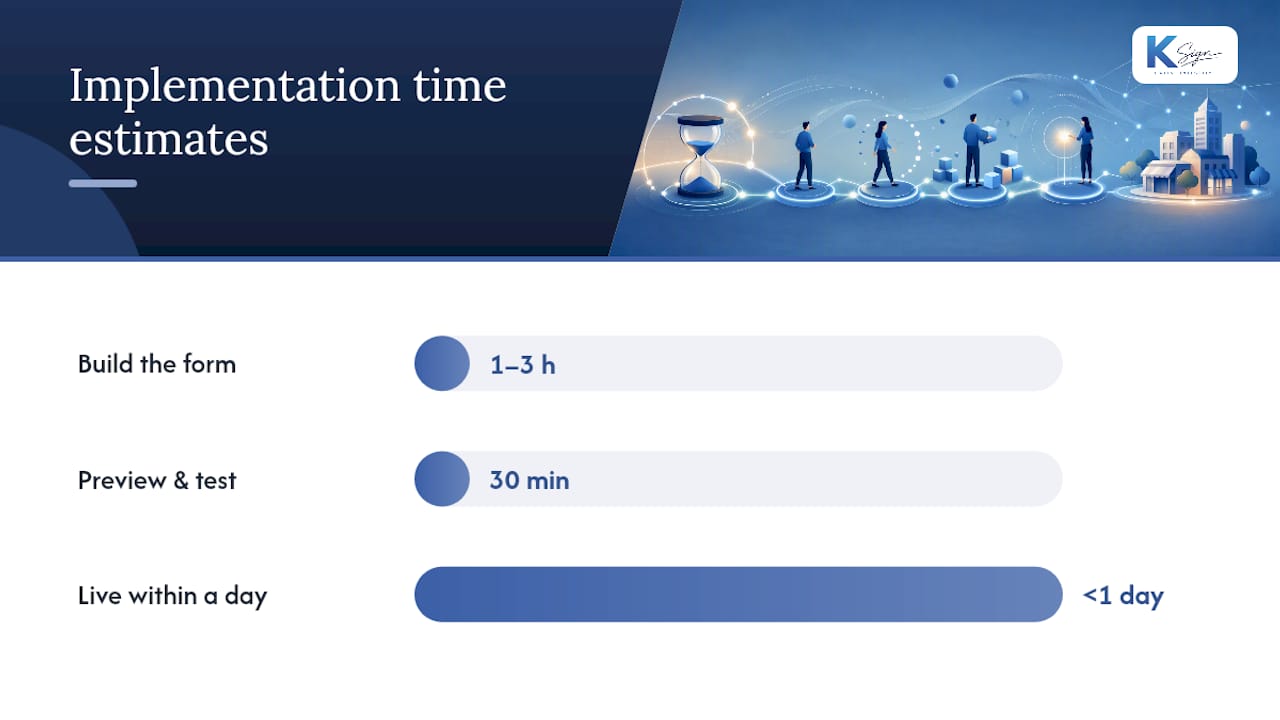
- Build the form (1 to 3 hours for a single-use consent form with your standard fields)
- Preview and test on mobile before sending it live (30 minutes, worth every second)
- Publish and collect, sharing the link via SMS, email or QR code
- Store and notify, confirming both you and the signer get a copy automatically
- Manage withdrawals, keeping a visible process for anyone who wants to revoke consent later
Most small businesses have a working form live within a day. The ongoing task is version control, updating wording when your service terms change and logging that as a new form version rather than silently editing the old one.
On cost, expect either a one-off setup fee for a basic form builder or a monthly subscription that bundles forms, signatures and storage. Payment gateways typically charge a per-transaction fee on top. It’s worth paying more for a certificate-based signature or identity verification only when the stakes justify it, a $50 photo release doesn’t need the same rigour as a $5,000 building contract.
Copy-ready consent wording for three industries
Tradies: “I authorise [Business Name] to proceed with the work described in this quote. I understand additional costs may apply for unforeseen issues and agree to the payment terms outlined above.” Minimum fields: name, address, signature, timestamp, quote reference.
Photographers: “I grant [Business Name] permission to photograph me/my property and use the resulting images for [portfolio/marketing] purposes as described above.” Minimum fields: name, signature, usage scope selected, timestamp.
Clinics: “I consent to the treatment described above, understand the risks explained to me, and confirm I have had the opportunity to ask questions.” Minimum fields: patient name, DOB, signature, witness field (optional), timestamp.
For anything higher risk, add an ID upload, a witness field or a deposit payment step. Record the form version with every submission, it’s the detail that saves you if wording is ever challenged.
Why we built Ksign around forms, not just signatures
Most of the disputes I’ve seen in small business consent workflows come down to speed and mobile friction, not bad intentions. A customer on a job site or at a clinic reception doesn’t want to print, sign and scan anything. They want to tap, confirm and move on.

Building the workflow form-first rather than document-first solves two problems at once: it captures the exact data you need to generate the contract, and it means the customer is never staring at a static PDF wondering where to sign. Businesses running quote approvals and deposit collection through a single guided flow report fewer chased signatures and fewer “I never agreed to that” conversations weeks later.
Turn your consent forms into signed, paid agreements
Ksign was built around the exact workflow this guide describes: form, contract, signature, payment, all in one pass, so you’re not juggling a form tool, a PDF template and a separate payment link for every job.

Every submission generates a timestamped audit trail automatically, with the signer’s identity, IP address and form version logged the moment they tap “agree.” Deposits and service fees collect through a PCI-compliant payment step built into the same signing flow, so approval and payment happen in one action instead of two separate follow-ups. Industry templates for waivers and service consents mean you’re not writing wording from scratch, and the whole thing works on a phone screen because most of your customers will sign on one.
If you’re still emailing PDFs back and forth, try Ksign’s e-signature tools and have your first digital permission slip live before the end of the day.
Sources
- 15 U.S. Code § 7001 — General rule of validity
- USCODE-2024-title15-chap96 (PDF)
- How to Create a Consent Form (5 Steps + Templates)
- How to Create an Online Consent Form That Actually Works