
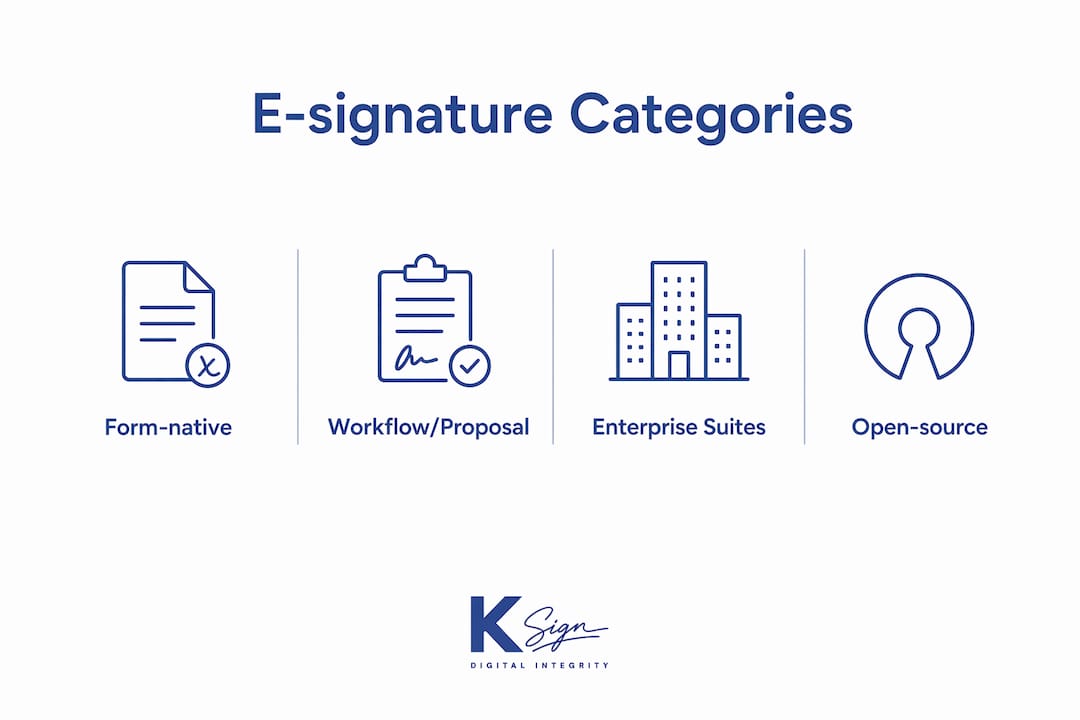
If you need a SignRequest alternative, the category you choose matters more than the specific tool. For most Australian small businesses, especially trades, field service operators, and service-based businesses, a form-native contract platform is the right starting point. For sales and proposal-heavy teams, a workflow and proposal platform fits better. High-volume compliance environments point toward enterprise e-signature suites, and businesses with strict data-sovereignty requirements should consider open-source or self-hosted options.
Here is the shortlist by category:
- Form-native contract platforms (e.g., Ksign): Best for trades, field teams, and service businesses that need to collect customer information, generate a contract, get it signed, and collect a deposit in one workflow. This is the category most underserved by traditional e-signature tools.
- Workflow and proposal platforms (e.g., PandaDoc, SignNow): Best for sales teams sending proposals with embedded signing and CRM integration. Strong on document assembly but typically start from a finished document rather than a guided form.
- Enterprise e-signature suites (e.g., DocuSign, Adobe Acrobat Sign): Best for high-volume, compliance-heavy organisations. Broad certification coverage (SOC 2, ISO 27001) and deep integration libraries, but pricing and complexity are mismatched for most sole traders and small teams.
- Open-source or self-hosted options (e.g., eversign’s self-hosted tier, or community-maintained tools): Best for businesses with strict data-control requirements or developers building signing into their own products. Requires more technical setup and ongoing maintenance.
For payment collection during signing, only form-native platforms and a handful of workflow tools support this natively. For mobile and offline signing in the field, form-native and enterprise suites lead. For API and automation depth, enterprise suites and workflow platforms have the broadest libraries, though form-native platforms like Ksign are closing the gap quickly.
Table of Contents
- Which SignRequest alternative fits your needs at a glance?
- How these categories compare on the dimensions that matter most
- What you actually get from each category
- How to choose the right alternative for your business
- How these alternatives were selected and compared
- Why integrated workflows beat standalone signature apps for SMBs
- Final recommendation: best pick by use case
- Key takeaways
- Why we favour the form-native approach for small businesses
- Ksign: a practical option worth testing alongside the alternatives
- Useful sources and further reading
Which SignRequest alternative fits your needs at a glance?
| Category | Best for | Price tier | Key integrations | AU legal fit | Mobile/field | API & automation | Payment during signing | Templates/forms |
|---|---|---|---|---|---|---|---|---|
| Form-native contract platforms | Trades, field services, service SMBs | Low to mid; free trials common | Stripe, Xero, Zapier | Yes (Electronic Transactions Act) | Strong | Growing | Yes (native) | Strong; form-driven |
| Workflow/proposal platforms | Sales teams, proposals, CRM-heavy workflows | Mid; free tiers limited | Salesforce, HubSpot, QuickBooks | Yes | Moderate | Strong | Partial (via integrations) | Good; document-first |
| Enterprise e-signature suites | High-volume, compliance, legal teams | Mid to high; per-sender or per-envelope | Salesforce, SAP, Xero, QuickBooks | Yes; SOC 2/ISO certified | Good | Very strong | Limited natively | Moderate; PDF-first |
| Open-source/self-hosted | Developers, data-sovereignty needs | Low (hosting costs apply) | Custom/API | Depends on implementation | Variable | Developer-grade | Rare natively | Minimal out of the box |

How these categories compare on the dimensions that matter most
Most e-signature tools overlap on basic signing capability. Where they diverge sharply is in workflow depth, pricing structure, and integration fit. Understanding those differences saves you from paying for features you will never use, or discovering missing ones after you have committed.
Pricing shapes and total cost of ownership
Pricing in this market is deliberately complex. Enterprise suites typically charge per sender, per envelope, or per user, with annual contracts and add-on fees for advanced features like bulk sending, API access, or branded signing pages. A small team sending moderate document volumes can find the annual cost climbs well above the advertised entry price once those limits are hit.
Workflow and proposal platforms tend to bundle more features at a mid-tier price but often gate payment collection or advanced form logic behind higher plans. Form-native platforms generally offer simpler, flat-rate or usage-based pricing with fewer hidden caps, which is why they suit sole traders and small teams better.
Pro Tip: Before committing to any plan, ask the vendor to show you the cost at your expected monthly document volume, including any per-envelope or per-sender charges. Many pricing structures look affordable at low volume but scale poorly.
Audit trail and tamper-evident records
Every credible platform in this comparison produces a timestamped audit trail. The quality varies. Enterprise suites typically produce court-admissible audit logs with IP address capture, geolocation, device fingerprinting, and cryptographic hash verification of the signed document. Form-native and workflow platforms generally meet the minimum standard required under Australia’s Electronic Transactions Act 1999, which requires that a signature method reliably identifies the signatory and indicates their intention to be bound. For most small-business contracts, that standard is sufficient.
Where platforms differ is in how easy the audit trail is to export and present. Check that your chosen tool lets you download a complete audit certificate as a PDF alongside the signed document, not just a log buried in an admin dashboard.
Security certifications
Buyers should look for SOC 2 Type II and ISO 27001 certification as baseline trust signals. Enterprise suites (DocuSign, Adobe Acrobat Sign) hold both. Most workflow platforms hold SOC 2 at minimum. Form-native platforms vary; check the vendor’s security page directly. For Australian businesses handling sensitive personal information, compliance with the Privacy Act 1988 and the Australian Privacy Principles is a separate consideration from the signing platform’s own certifications.
Integration fit for Australian SMBs
| Dimension | Form-native | Workflow/proposal | Enterprise suites | Open-source |
|---|---|---|---|---|
| Xero / QuickBooks | Yes (common) | Yes (common) | Yes | Custom build |
| Stripe payments | Yes (native in leading tools) | Partial | Rare natively | Custom build |
| Zapier / Make | Yes | Yes | Yes | Limited |
| CRM (Salesforce, HubSpot) | Partial | Strong | Very strong | Custom build |
| Payment during signing | Yes | Partial | Limited | Rare |
Xero and QuickBooks integrations matter for Australian small businesses because they allow a signed agreement to trigger an invoice automatically, removing a manual step. Stripe integration during signing is the differentiator for trades and service businesses that want to collect a deposit the moment a customer approves a quote.
What you actually get from each category
Form-native contract platforms
This category starts where most e-signature tools stop. Instead of asking you to upload a finished PDF, a form-native platform guides your customer through a series of questions, uses their answers to generate the correct contract or agreement, sends it for signature, and collects payment in the same session. For a tradie quoting a job, a photographer booking a client, or a cleaner sending a service agreement, that end-to-end flow eliminates three or four separate tools.

Standout features in this category include guided online form builders, contract automation from form data, embedded payment collection (typically via Stripe), mobile-optimised signing, and tamper-evident audit trails. Industry-specific templates for trades, allied health, real estate, and professional services are common.
Typical first-year cost: affordable, with transparent flat-rate or usage-based pricing. Watch for limits on the number of templates or active workflows at entry-level plans.
Pros:
- Collects customer information before generating the document, reducing manual drafting
- Payment collection during signing is native, not bolted on
- Mobile-first design suits field teams and sole traders
- Simpler pricing than enterprise alternatives
Cons:
- Fewer pre-built CRM integrations than enterprise suites
- Advanced API features may be limited on entry plans
- Less suited to organisations that already have a large library of finished PDFs
Workflow and proposal platforms
Tools in this category (covering products like PandaDoc and SignNow) are built around the proposal and sales workflow. You assemble a document from content blocks, send it for signature, and track engagement. CRM integrations are deep, and features like proposal analytics, content libraries, and approval chains are well developed.
Payment collection is available in some tools but typically requires a third-party payment integration rather than a native embedded flow. Form logic is present but secondary to document assembly. For a sales team closing deals, this category is strong. For a tradie collecting a deposit on a quote, it is a workaround rather than a solution.
Typical first-year cost: moderate. Some limited free tiers are available. Annual contracts are common at higher tiers.
Pros:
- Strong CRM and proposal workflow integrations
- Good document analytics (open tracking, time-on-page)
- Established audit trails and SOC 2 coverage
Cons:
- Payment during signing is partial or integration-dependent
- Form-to-contract automation is limited compared to form-native tools
- Pricing can escalate with user count or document volume
Enterprise e-signature suites
DocuSign and Adobe Acrobat Sign dominate this category. Both hold SOC 2 Type II and ISO 27001 certifications, offer deep API libraries, and integrate with virtually every major enterprise system. For a large organisation sending thousands of documents per month with complex approval chains, they are the right choice.
For an Australian small business sending a few dozen contracts per month, they are usually over-engineered and over-priced. Per-envelope pricing adds up quickly, and features like bulk send, advanced authentication, and branded signing pages are often gated behind plans that cost significantly more than the advertised entry tier. Mobile signing is supported but the UX is designed around desktop-first workflows.
Typical first-year cost: mid to high, with entry plans that may have additional usage-based costs for active businesses.
Pros:
- Highest certification coverage (SOC 2, ISO 27001)
- Deepest API and integration libraries
- Recognised globally; strong for cross-border contracts
Cons:
- Pricing complexity and hidden per-envelope costs
- Designed for enterprise workflows, not SMB simplicity
- Payment during signing is not a native feature
- Form-to-contract automation requires third-party tools
Open-source and self-hosted options
Tools like eversign’s self-hosted tier or community-maintained open-source signing projects give developers full control over data residency and infrastructure. For a business with genuine data-sovereignty requirements, or a developer embedding signing into a product, this category is worth evaluating.
The trade-off is significant: setup requires technical resources, ongoing maintenance falls on your team, and out-of-the-box features like payment collection and industry templates are minimal. For most Australian small businesses without a dedicated IT function, the operational overhead outweighs the control benefits.
Typical first-year cost: Low in licence fees; higher in engineering and hosting time.
Pros:
- Full data control and residency
- No per-document or per-user fees once deployed
- Developer-grade API flexibility
Cons:
- Requires technical setup and maintenance
- No native payment collection
- Limited templates and form logic
- Support is community-based, not vendor-backed
Industry note: Practical roundups consistently identify workflow automation, form-driven signing, and PDF editing as distinct capability clusters. Choosing a tool from the wrong cluster for your use case is the most common reason businesses switch platforms within 12 months.
How to choose the right alternative for your business
The right choice comes down to five questions answered honestly about your own workflow.
- Do you start from a finished document or from customer information? If you collect details before drafting, you need a form-native platform. If you already have a finished PDF or proposal, a workflow or enterprise tool works fine.
- Do you need to collect payment at the time of signing? Only form-native platforms and select workflow tools support this natively. If payment on signing matters, confirm it before trialling.
- How many documents do you send per month, and to how many signatories? Per-envelope and per-sender pricing models can make enterprise suites expensive at moderate volume. Calculate your realistic monthly cost, not the advertised entry price.
- Does your team sign in the field, on mobile, without reliable internet? Test the mobile signing experience on your actual devices during the trial. Offline signing support varies significantly between platforms.
- What integrations are non-negotiable? Xero, QuickBooks, Stripe, and Zapier are the most common requirements for Australian SMBs. Confirm native integration (not just a Zapier workaround) for your critical tools.
Red flags to watch for:
- Audit trail is not downloadable as a standalone PDF certificate
- Per-document or per-envelope fees are not disclosed upfront on the pricing page
- Payment collection requires a separate third-party tool with no native integration
- No mention of compliance with Australia’s Electronic Transactions Act 1999
- Mobile signing demo requires a desktop browser to set up
- Support is email-only with no stated response time SLA
Vendor questions to ask during your trial:
- “Show me the complete audit trail for a signed document, including the downloadable certificate.”
- “What happens to my documents if I cancel my subscription?”
- “Is payment collection native or does it require a Zapier connection?”
- “What is the per-envelope or per-sender cost at my expected monthly volume?”
- “Does mobile signing work offline, and how does it sync when connectivity returns?”
Pro Tip: Test mobile signing on your actual phone during the trial, not on a desktop browser. The experience difference between platforms is most visible on a 6-inch screen in a job-site environment.
How these alternatives were selected and compared
Selection criteria: Tools and categories were evaluated on fit for Australian small businesses, mobile and field usability, payment collection during signing, form-to-contract automation capability, API availability, pricing transparency, and security certification coverage. Sources consulted include Gartner Peer Insights, Zapier’s e-signature roundup, and comparison aggregators that track SignRequest alternatives. This review reflects the market as of mid-2026. Highly specialised enterprise-only products with no SMB plan were excluded.
The shortlist was built around one practical test: could an Australian sole trader or small team owner set up and use this category of tool without dedicated IT support, at a cost that makes sense for their document volume? Enterprise-only tools that require implementation partners or six-figure annual contracts were excluded regardless of their feature depth.
Why integrated workflows beat standalone signature apps for SMBs
The market has shifted. Integration depth and workflow fit are now the most important factors for teams that sign documents daily, not the signing step itself. The signing step is a commodity. What separates platforms is what happens before and after the signature.
Consider the manual steps a tradie currently takes without an integrated workflow: send a quote by email, wait for approval, manually draft a contract, email it as a PDF, chase the customer for a signature, send a separate payment link, then file the signed document somewhere. That sequence involves at least four tools and multiple manual hand-offs. An integrated form-to-contract-to-sign-to-pay workflow collapses it into one customer-facing session.
The productivity case for integration is clear:
- A guided intake form captures the job details once; the contract generates automatically from those answers
- The customer signs on their phone without needing to print, scan, or return anything
- Payment is collected in the same session, before work begins
- The signed document and audit trail are stored automatically, accessible from any device
Contract automation from form inputs removes the single biggest source of manual admin for service businesses: copying customer details from one tool into a document template. For businesses that generate the same types of contracts repeatedly, such as service agreements, job authorisations, or deposit confirmations, that automation compounds in value with every document sent.
The largest productivity gains come from integration depth. Plugging e-signature into accounting and payment tools removes repetitive admin in a way that choosing a slightly cheaper standalone signer simply cannot match. For Australian small businesses using Xero, the ability to trigger an invoice from a signed agreement is a concrete, daily time saving. For those collecting deposits, embedded payments during signing mean cash flow improves without adding a separate payment step.
Final recommendation: best pick by use case
- Trades and field teams: Form-native contract platform. You need mobile signing, payment on approval, and job-specific templates. Start your trial by testing the mobile signing flow on your phone and confirming Stripe payment collection works end-to-end.
- Sales and proposal workflows: Workflow or proposal platform. Prioritise CRM integration and proposal analytics. Confirm whether payment collection is native or requires a third-party connection.
- High-volume compliance (legal, finance, real estate): Enterprise e-signature suite. Verify SOC 2 Type II and ISO 27001 certifications, and confirm the audit trail format meets your regulatory requirements.
- Tight data control or developer embedding: Open-source or self-hosted option. Budget for engineering time and ongoing maintenance before committing.
Next steps for trialling shortlisted options:
- Identify your top two use cases (e.g., mobile signing and payment collection) and make them non-negotiable trial tests.
- Involve the person who will use the tool daily, not just the decision-maker, in the trial evaluation.
- In the first week, send at least three real documents through the trial account, including one on a mobile device.
- Download the audit trail certificate for a completed document and confirm it meets your record-keeping requirements.
- Calculate your realistic monthly cost at your expected document volume, including any per-envelope or per-sender fees.
- If your requirements span two categories (e.g., you need both proposal analytics and payment on signing), run a parallel trial of one tool from each category for two weeks before deciding.
Key takeaways
For Australian small businesses evaluating SignRequest alternatives, the category choice is more consequential than the specific vendor. Form-native platforms deliver the most complete workflow for trades and service businesses because they start from customer information, not a finished document.
| Point | Details |
|---|---|
| Category first, vendor second | Choose the right category (form-native, workflow, enterprise, self-hosted) before comparing individual tools. |
| Payment during signing is a differentiator | Only form-native platforms and select workflow tools support payment collection natively; confirm this before trialling. |
| Hidden pricing adds up | Per-envelope and per-sender fees can double the advertised entry price; calculate cost at your real monthly volume. |
| AU legal fit is table stakes | Confirm compliance with Australia’s Electronic Transactions Act 1999 and check audit trail export quality. |
| Ksign suits trades and service SMBs | Ksign’s form-to-contract-to-sign-to-pay workflow is built for businesses that collect customer details before drafting. |
Why we favour the form-native approach for small businesses
The conventional wisdom in e-signature comparisons is to lead with security certifications and integration counts. Those things matter, but they are not where most small businesses lose time. The real friction is upstream: collecting customer information, turning it into a document, getting it signed, and collecting payment, all without switching between four different tools.
Most e-signature platforms were designed for organisations that already have a legal or operations team producing finished documents. They solve the last 10% of the workflow (the signing step) and leave the other 90% to you. For a sole trader or a small team without admin support, that gap is where the admin burden lives.
The form-native approach is not just a feature preference. It reflects a different assumption about who is doing the work. When a platform starts with a guided form rather than a PDF upload, it is designed for the business owner who is also the drafter, the sender, the chaser, and the filer. That is the reality for most Australian small businesses, and it is why we think the form-native category deserves to be the default starting point for this audience, not an afterthought.
Try at least two categories before committing. The difference between a tool that fits your workflow and one that requires workarounds is most visible in the first week of real use, not in a feature comparison table.
Ksign: a practical option worth testing alongside the alternatives
If the form-native category fits your business, Ksign is worth putting on your trial list. It is built specifically for Australian small businesses, trades, and service providers who need more than a standalone signing tool.

Ksign’s workflow covers the full cycle: a guided online form collects customer details, those details generate the correct contract or agreement automatically, the document goes out for legally binding e-signature, and payment is collected in the same session via Stripe. The signed document and audit trail are stored and accessible from any device. For field teams, the mobile signing experience is designed to work on a phone at a job site, not just on a desktop in an office.
What to test on a Ksign trial: build one form-to-contract workflow for your most common document type, send it to yourself on a mobile device, complete the signing and payment steps, then download the audit trail certificate. That sequence will tell you whether the platform fits your real workflow in under 30 minutes.
Ksign’s contract automation and embedded payment collection are the two features most likely to save meaningful time for trades and service businesses. Start your trial at ksign.co and test those two capabilities on day one.
Useful sources and further reading
- Gartner Peer Insights: Electronic Signature market — Broad market overview covering integration depth, deployment models, and enterprise feature comparisons across leading platforms.
- Zapier: Best electronic signature apps — Practical roundup with workflow and integration fit as the primary evaluation lens; useful for understanding how tools compare on automation.
- The Digital Project Manager: Best e-signature software — Category-based comparison covering workflow automation, form-driven signing, and PDF editing as distinct use cases.
- ToolRadar: SignRequest alternatives — Aggregated alternatives list with side-by-side feature and pricing comparisons for buyers shortlisting options.
- Ksign product overview — Full feature summary covering form building, contract generation, e-signature, payment collection, and audit trail capabilities.
- Ksign: Mobile signing for field workers — Practical guide on what to test during a mobile signing trial for field-based businesses.
- Ksign: E-signature for accounting documents — Covers Xero and accounting workflow integration for bookkeepers and accountants evaluating signing tools.
Note: Pricing, plan features, and legal compliance details change regularly. Verify current pricing directly with each vendor and confirm compliance with Australia’s Electronic Transactions Act 1999 for your specific document types before committing to any platform. This article is general information, not legal or professional advice.