
Build your mobile-first digital proof of delivery (POD) form now. The business case is clear: digital POD reduces disputes, compresses invoicing cycles and produces legally defensible delivery evidence that paper simply cannot match. 67% of the market has already migrated to digital POD to stay competitive, and the primary barrier holding the rest back is inertia, not cost.
Three things belong in every form from day one:
- Recipient signature captured on-device with a timestamped signature certificate
- Timestamp and GPS coordinates embedded automatically at the moment of capture
- Photo(s) of goods and delivery location with EXIF metadata intact
Australia’s Privacy Act 1988 governs how you handle the personal information collected in these records, so your form design and data retention policy must account for it from the start.
Pro Tip: Mirror your existing paper POD layout field-for-field when you first build the mobile form. Drivers recognise the structure immediately, which cuts resistance and shortens the learning curve to near zero.
Table of Contents
- What fields and metadata must every digital POD form capture?
- How do you build a mobile-first POD form from paper to live deployment?
- What are the legal and evidentiary requirements for POD records in Australia?
- How do you drive adoption and scale digital POD across depots?
- How does digital POD prevent and resolve delivery disputes?
- Training materials and support resources for Australian delivery teams using Ksign
- Key takeaways
- Why form-first PODs win in the long run
- Ksign gives you a ready-to-deploy POD workflow
- Selected sources and further reading
What fields and metadata must every digital POD form capture?
A proof of delivery is a supply chain control point, not just a receipt. It supports invoicing, dispute resolution and customer visibility simultaneously, so the data it captures must be complete and verifiable.
Core fields:
- Recipient name and signature
- Delivery date and time (auto-populated)
- GPS coordinates at point of capture
- Order or reference number
- Items delivered with quantities
- Condition notes (damage, substitutions, partial delivery)
- Driver ID or name
- Photo(s) of goods and drop-off location
Audit-trail metadata:
- Device ID and operating system
- Timestamped digital signature certificate
- IP address or device geolocation
- File hashes for tamper-evidence
- Retention metadata (created, modified, exported timestamps)
| Field | Why it matters | Minimum validation |
|---|---|---|
| Recipient signature | Non-repudiation; legally binds the delivery event | Required; no submission without it |
| GPS coordinates | Confirms delivery location; resolves wrong-address disputes | Auto-captured; flag if unavailable |
| Timestamp | Enables same-day invoicing; establishes chain of custody | Auto-populated; read-only |
| Condition notes | Prevents damage claim escalation before it becomes a costly ticket | Optional text + mandatory photo if damage flagged |
| Order/reference number | Links POD to TMS, ERP and invoice records | Required; validated against dispatch list |
| Device ID | Identifies the capture device for audit purposes | Auto-captured from device |
Electronic POD apps store all of this in the cloud for business-wide access and direct integration with transport management and ERP systems.

How do you build a mobile-first POD form from paper to live deployment?
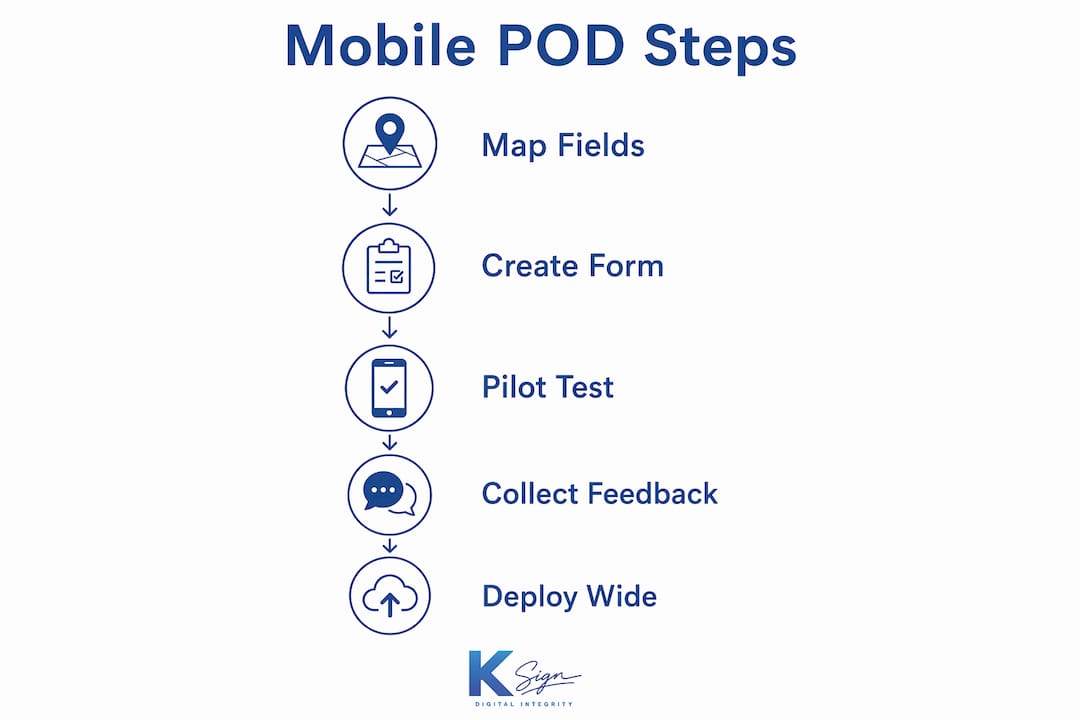
Map your paper form, configure mobile logic, pilot with a small team, measure outcomes, then scale. That is the full arc. Here is how each phase works in practice.
- Map the paper form. List every field on your current paper POD. Note which fields drivers skip, which are illegible and which trigger disputes. These become your design constraints.
- Design the mobile form. Reproduce the paper layout digitally, then add conditional logic: if “condition” is marked “damaged,” a photo field and notes field become mandatory. Common template fields include customer name, address, order number, item list, driver name, signature, delivery time and comments.
- Add photo and signature capture. Signature fields should render on a full-screen touch canvas. Photo fields should compress images automatically to keep sync times short on mobile data.
- Set validation rules. Require signature and GPS before submission. Lock timestamp and device ID fields to prevent manual editing.
- Configure integration or export paths. Connect to your TMS or ERP via API, or set up automatic PDF generation and email dispatch to trigger invoicing on submission.
- Run a pilot. Deploy to 5–10 drivers across two to three routes for two to four weeks. Measure dispute rate, invoice turnaround time and days sales outstanding (DSO). Test offline capture and sync behaviour on low-connectivity routes.
- Iterate and roll out. Fix form logic issues surfaced in the pilot, then stage deployment by depot or region. Aim for full rollout within eight to twelve weeks of pilot completion.
Pilot checklist for field ops teams:
- Device provisioning complete (iOS and Android tested)
- Offline capture confirmed on low-signal routes
- Sync verified on return to depot Wi-Fi
- Signature certificate export tested
- Dispute rate baseline recorded before go-live
- Invoice turnaround baseline recorded
Pro Tip: Assign two or three early adopters who are respected by their peers to lead the pilot. Their visible comfort with the form does more for adoption than any training document.
What are the legal and evidentiary requirements for POD records in Australia?
A well-designed digital POD is admissible evidence when it preserves a verifiable timestamp, confirmed location and a signed certificate with an unbroken audit trail. Australian logistics teams need to understand four specific obligations.
- Privacy Act 1988 (Cth). Recipient names, signatures and contact details are personal information under the Act. Collect only what is necessary, store it securely and provide access or deletion on request. Your retention policy must specify how long POD records are kept and under what conditions they are destroyed.
- Electronic signatures. Australia’s Electronic Transactions Act 1999 (Cth) and its state equivalents recognise electronic signatures as legally binding where the signatory’s identity is verifiable and their intention to sign is clear. A timestamped signature certificate with device ID satisfies both conditions for most commercial delivery contexts.
- Admissibility of digital records. Courts assess digital evidence on authenticity and integrity. A tamper-evident audit trail, including file hashes and an uneditable timestamp, supports both. The evidentiary value of digital POD rests on this chain of custody being unbroken from capture to retrieval.
- Retention policy. Align your POD retention period with your contractual obligations and the Limitation Act applicable in your state (typically six years for contract disputes). Export and archive records in a format that remains readable without proprietary software.
Statistic: Photographic evidence and geolocated signatures reduce disputes and enable same-day invoicing, directly shortening DSO by 3–10 days.
How do you drive adoption and scale digital POD across depots?
Adoption depends on three things: low-friction workflows, reliable offline operation and measurable KPIs that demonstrate value to management and drivers alike.
Driver-focused design:
- Keep the form layout identical to the paper version drivers already know
- Use large touch targets (minimum 44px) for all interactive elements
- Minimise typing with pre-populated item lists, barcode scanning where available, and selectable condition options
- Limit the form to one screen per stop where possible
IT and infrastructure:
- Provision devices with mobile device management (MDM) to enforce app versions and security policies
- Cache form data locally so drivers can complete PODs without connectivity; sync automatically on reconnection
- Use single sign-on (SSO) tied to driver ID for authentication and audit purposes
- Confirm API integration with your TMS or ERP before go-live, not during pilot
Change management:
- Deliver training in short modules of ten to fifteen minutes, focused on one task at a time
- Pair new users with experienced drivers for the first week of live deployment
- Establish a clear escalation path for technical issues so drivers are never blocked at a delivery stop
- Create a feedback loop: review form design monthly for the first quarter and act on driver input
Statistic: Digital POD delivers 23% fewer delivery disputes, 18% faster invoice processing and DSO reductions of 3–10 days. These figures give operations managers a concrete baseline to measure against.
Pro Tip: Tie early-adopter recognition to measurable outcomes, such as zero disputed deliveries in a month, rather than to usage volume alone. Outcome-based recognition builds the right habits.
How does digital POD prevent and resolve delivery disputes?
Structured evidence reduces dispute handling time and often prevents escalation entirely. The key is capturing exceptions at the point of delivery, not reconstructing them from memory hours later.
Dispute resolution workflow:
- Driver flags an exception on-device: photograph the condition, select the exception type (damaged, partial, refused) and add a brief note.
- The completed form submits automatically, triggering an alert to customer service with the full payload: photo, GPS, timestamp and order reference.
- Customer service reviews the evidence and makes a preliminary determination: accept the claim, request clarification or escalate to the account manager.
- The audit trail is attached to the invoice or claim record in the TMS or ERP, creating a single source of truth.
- Finance invoices based on confirmed POD data, not on disputed paper records.
Tactical checks before closing a dispute:
- Confirm timestamp alignment between the POD and the dispatch record
- Verify photo legibility and GPS accuracy
- Match order IDs across the POD, invoice and customer purchase order
- Confirm driver ID matches the assigned route
Condition notes combined with a signature provide the context that resolves damage claims before they become costly escalations. This dual role, customer receipt and legal evidence, is what makes structured exception capture worth the extra thirty seconds at the door.
Pro Tip: Build a “refused delivery” exception type with a mandatory photo of the undelivered goods at the address. This single field eliminates the most common category of disputed non-delivery claims.
Field service businesses outside logistics face similar documentation challenges. The same principle of capturing signed, timestamped evidence at the point of service applies to preventive service contracts in trades, where proof of completion protects both the provider and the client.
Training materials and support resources for Australian delivery teams using Ksign
Australian delivery teams deploying Ksign benefit from a training approach built around the platform’s mobile signing workflow rather than generic e-signature theory. The goal is to get drivers confident on their first live run, not after a week of classroom sessions.
Recommended training structure:
- Module 1 (10 min): Completing a standard POD on a mobile device, including signature capture and photo upload
- Module 2 (10 min): Handling exceptions: flagging damage, partial delivery and refused delivery
- Module 3 (10 min): Offline mode: completing forms without connectivity and confirming sync on return
- Dispatcher module (15 min): Reviewing submitted PODs, exporting audit trails and triaging exceptions in the back office
Ksign’s courier and delivery guidance covers driver adoption tactics specific to field workflows. The Ksign blog also publishes practical articles on digital signatures and form design that support ongoing team development. For teams converting existing paper PDFs, Ksign’s fillable PDF capability lets you bring legacy documents online without rebuilding them from scratch.
Support resources to have in place before go-live: a one-page quick-reference card for drivers (laminated, in the cab), a dispatcher escalation contact for technical issues, and a monthly form-review session for the first quarter to act on field feedback.
Key takeaways
A mobile-first digital POD form, built on the right fields and backed by an unbroken audit trail, is the fastest way to reduce disputes, accelerate invoicing and meet Australia’s Privacy Act obligations.
| Point | Details |
|---|---|
| Build the right fields first | Capture recipient signature, GPS, timestamp, order reference, condition notes and photos as a minimum. |
| Pilot before full rollout | Run a 2–4 week pilot with 5–10 drivers; measure dispute rate, invoice turnaround and DSO against your baseline. |
| Offline reliability is non-negotiable | Confirm local data caching and automatic sync before deploying to low-connectivity routes. |
| Legal defensibility requires an audit trail | Preserve timestamped signature certificates, device ID and file hashes to satisfy the Electronic Transactions Act and Privacy Act. |
| Ksign for implementation | Ksign provides guided web forms, mobile signing, signature certificates and exportable audit trails in one workflow. |
Why form-first PODs win in the long run
Form-first design reduces friction today and future-proofs your workflow for whatever comes next. That is the core of it.
Most logistics teams approach digital POD as a signing problem: replace the paper signature with a digital one and call it done. The evidence suggests this is the wrong frame. When the form itself is designed first, with conditional logic, validation rules and structured exception fields, the signature becomes the natural endpoint of a complete data-capture event rather than a bolt-on formality. That distinction matters operationally: a form that guides the driver through every required field produces a complete, consistent record every time. A bare signature pad produces a signature and little else.
Three strategic benefits follow from getting the form right. First, measurable ROI: the 23% reduction in disputes and 18% faster invoice processing that digital POD delivers are only realised when the underlying data is complete enough to be acted on without manual follow-up. Second, a better on-site customer experience: a driver who completes a structured form and hands the customer a confirmation receipt in under a minute looks professional in a way that a paper signature never achieves. Third, a stronger evidentiary position: structured data with intact metadata is far more persuasive in a dispute than a scanned paper form with illegible handwriting.
The businesses that will extract the most value from digital POD are those that treat the form as the product, not the signature.
Ksign gives you a ready-to-deploy POD workflow
Paper PODs cost you more than you think: roughly 3–5 minutes of admin per document to transcribe and file, plus the dispute exposure that comes with incomplete or illegible records. Ksign closes that gap with a form-first workflow built for field teams.

Ksign’s e-signature and audit trail capabilities cover every trust signal described in this guide: guided web forms, mobile signing on any iOS or Android device, timestamped signature certificates, exportable audit trails and an API for direct integration with your TMS or ERP. For delivery models that require payment on receipt, Ksign’s embedded payment collection handles cash-on-delivery workflows in the same form submission. Australian logistics teams can start with a pilot account, evaluate the API against their existing systems and scale by depot without per-user pricing surprises. Visit ksign.co to start your pilot or review the full product capabilities before committing.
Selected sources and further reading
- Digital Proof of Delivery: benefits vs paper POD | Optivo — Primary source for the 67% market migration figure, dispute reduction statistics (23% fewer disputes, 18% faster invoicing, 3–10 day DSO reduction) and the operational cost of paper admin.
- What is a proof of delivery (POD) in supply chain? | project44 — Authoritative definition of POD scope and its financial role in invoicing and dispute resolution.
- Mobile POD Software For Great On-Site Service | Aptean — Supports the case for capturing condition notes alongside signatures to prevent damage claim escalation.
- FREE Proof of Delivery Template | Smartroutes — Practical template listing common fields; basis for the paper-to-digital mapping in the build workflow.
- The benefits of using electronic proof of delivery | Go2Stream — Covers GPS, timestamp and cloud integration capabilities of ePOD apps.
- Ksign mobile signing for field workers — Ksign’s own guide to mobile signing UX and device considerations for field-based teams.
- Ksign courier and delivery guidance — Targeted advice on driver adoption and field workflow design for courier and delivery businesses.