
When we talk about “irs electronic signature” in this context, we mean the form-to-contract workflow small businesses use to turn a customer’s answers into a signed, paid agreement, not the IRS’s own tax-filing signature rules. Under the ESIGN Act and UETA, that electronic signature generally holds up in court once you’ve secured proper consent and kept accurate records. The fix: choose a mobile-first, form-native platform that captures consent, signature, payment, and an audit trail in one pass.
TL;DR:
- Using a form-driven workflow allows contracts to be generated automatically from customer answers, speeding up closing times and reducing manual data entry.
- Securing an electronic signature requires obtaining clear consent, disclosing access requirements, and providing an option for the signer to request a paper copy, which most platforms handle with a simple checkbox.
- Integrated payment collection at the moment of signing, whether by card or ACH, improves cash flow and eliminates delays caused by separate invoicing.
- Maintaining an audit trail that includes signer identity, timestamps, IP addresses, and document hashes is essential for legal enforceability and dispute resolution.
- Building a mobile-friendly, industry-specific template library and testing workflows on various devices ensures compliance, reduces friction, and adapts to field conditions.
Table of Contents
- What does a form-to-contract e-signature process look like?
- What do ESIGN and UETA actually require?
- What features does your e-signature software actually need?
- How do you set up a compliant workflow, step by step?
- Which templates suit your industry?
- How do you keep audit trails that hold up if questioned?
- Why does form-first workflow design matter more than the signature itself?
- Get your workflow running with Ksign
- Sources
- FAQ
What does a form-to-contract e-signature process look like?
Picture a plumber quoting a hot water system replacement. The customer fills out a guided form on their phone: job details, address, the scope of works, a photo of the busted unit, and a price. That’s the whole input side of the workflow.
From there, the process should run without anyone touching a Word document:
- The form answers auto-populate a contract or quote template, no retyping required.
- The customer reviews the contract, ticks a consent box, signs electronically, and pays a deposit in the same screen.
- A finished, signed PDF lands in both inboxes within seconds.
- An audit trail records exactly who signed, when, and from where.
That’s the shift worth noticing: the contract doesn’t exist until the form is answered. It gets generated, not assembled. Businesses that build workflows this way, rather than bolting an e-signature tool onto a static PDF, tend to close jobs faster because there’s no gap between “yes” and “paid.”
What do ESIGN and UETA actually require?
The legal baseline sits in one federal statute. Under 15 U.S.C. §7001, a signature, contract, or record cannot be denied legal effect purely because it’s electronic. UETA mirrors this at the state level, so in practice you’re dealing with one consistent rule set across most of the country.
That said, “generally enforceable” comes with conditions attached, not a blank cheque:
- You need affirmative consent from the signer to do business electronically.
- The signer must be told they can request a paper copy instead.
- They must be told how to withdraw consent later, and what that costs or involves.
- You need to disclose the hardware and software required to access and keep the record.
Pro Tip: A visible consent checkbox paired with a short, plain-English hardware/software statement is the simplest way most platforms satisfy this rule. It doesn’t need to be a wall of legal text, just a step the signer can’t skip.
The legal requirements around e-signatures do carry exceptions. Wills, certain court orders, and some notarised documents fall outside ESIGN’s scope. If your business regularly deals with anything in that grey zone, check with a lawyer before you rely on an electronic signature alone.
What features does your e-signature software actually need?
Plenty of tools will let a customer draw a squiggle on a screen. Far fewer connect that squiggle to a form, a payment, and a defensible record. Before you commit to a platform, run it against this list:
- A form builder that maps answers directly into contract fields, so the quote writes itself.
- In-flow e-signature capture with an explicit consent step, built mobile-first for people signing on a job site.
- Integrated payment collection, card or ACH, so a deposit or full payment happens at the moment of signing.
- Tamper-evident storage with a downloadable signed PDF and a complete audit trail attached.
- Industry-specific templates so you’re not rebuilding the same quote from scratch every week.
- Transparent, flat-rate pricing that doesn’t punish you for growth with per-envelope or per-seat surprises.
Combined form, signature, and payment workflows exist precisely because separating these steps creates friction, and friction is where deals stall. A contract automation approach removes the manual handoff between “form submitted” and “contract drafted” entirely.
How do you set up a compliant workflow, step by step?
Building this properly takes an afternoon, not a development sprint. Work through it in this order:
- List the questions you always ask customers before quoting a job, then map each answer to a spot in your contract template.
- Write plain disclosure language covering paper-copy rights and consent withdrawal, and place a consent checkbox right before the signature field.
- Connect a payment gateway and decide your deposit percentage and refund terms upfront, then display them at the point of signing.
- Test the entire flow on a phone and a desktop. Download the signed PDF and check the audit trail for a timestamp, signer identity data, and IP address.
- Talk to your accountant about how long you need to keep signed records, then set up automatic exports or backups so you’re never scrambling for a file.
Testing on mobile matters more than it sounds. Businesses often draft workflows at a desk and never check what a customer sees on a five-inch screen with one bar of signal, and testing the signed PDF and metadata before going live catches the problems desktop testing misses.
Which templates suit your industry?
The workflow is identical everywhere. The template is where you specialise it.
- Tradies and builders: a quote approval form with deposit collection, a separate variation approval template for scope changes mid-job, and a practical completion sign-off so nobody argues about whether the work was finished.
- Photographers and creatives: a booking agreement covering usage rights, cancellation terms, and staged payments tied to shoot milestones rather than one lump sum.
- Accountants and clinics: engagement letters, authority forms, and intake or consent workflows that double as your onboarding process.
Build each template once, then reuse it on every job. Field service operators using templated forms this way cut admin time because they’re editing a handful of fields instead of writing a fresh document.
How do you keep audit trails that hold up if questioned?
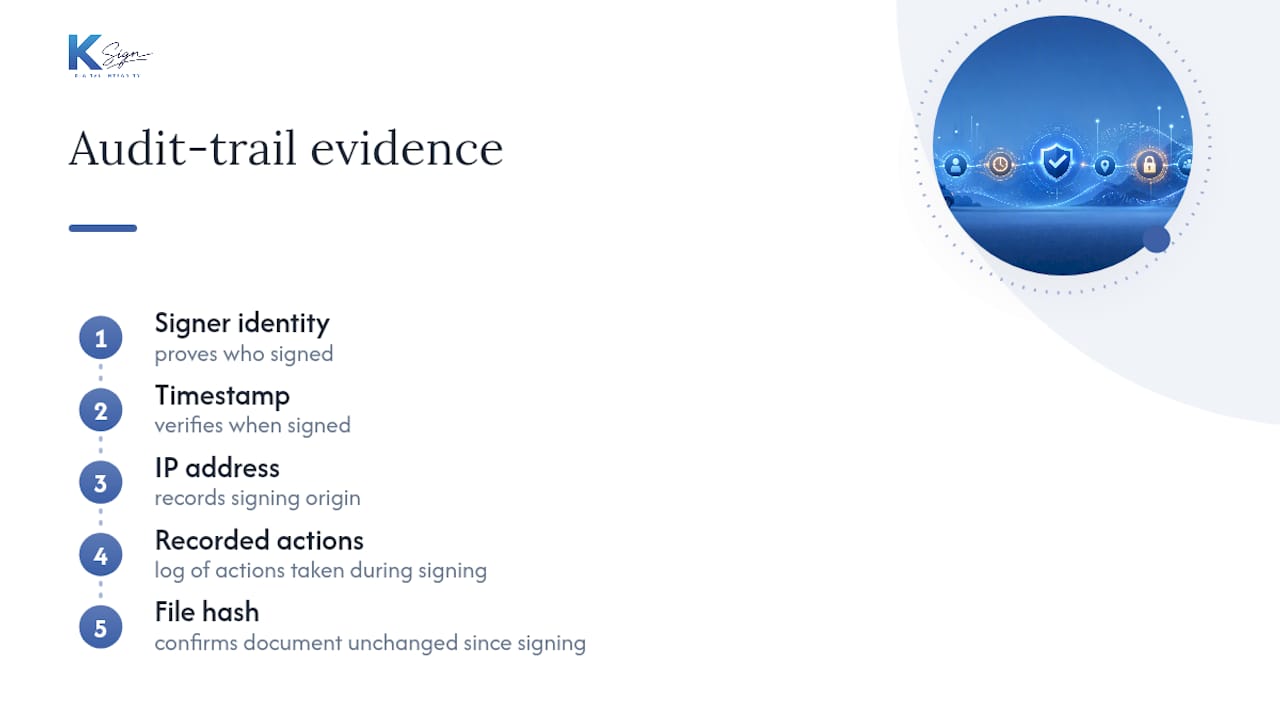
An audit trail is only useful if it can answer “who signed this, and can you prove it?” months after the fact. At minimum, yours needs signer identity evidence, a timestamp, an IP address, a record of what actions were taken, and a file hash confirming the document hasn’t been altered since signing.
Retention length isn’t one-size-fits-all. It should follow whatever your accountant recommends for tax and contractual purposes, and the record has to be reproducible on demand, a requirement ESIGN itself builds in through its preservation rules.
If someone ever disputes a signed contract, you should be able to export three things fast: the signed PDF, a CSV or event log of the signing activity, and metadata proving the chain of custody. Platforms that also capture signer verification, like a photo alongside the signature, add another layer that helps reduce chargebacks and fraud disputes. If you handle client money regularly, this is worth reading alongside why audit trails matter for accountants.
Why does form-first workflow design matter more than the signature itself?
The signature was never the hard part. Getting the right information into the right document, at the right moment, without someone re-typing it, always was.
We built Ksign around that observation, and it shows up in the small stuff: faster quote approvals, deposits landing before the job starts instead of after, and job records that don’t need chasing down later. Mobile-first design and reusable templates matter for the same reason: field work happens on-site, not at a desk. Complexity adds cost. Keep the workflow simple and repeatable, and the paperwork stops being the bottleneck.
— Josh
Get your workflow running with Ksign
Ksign is the form-native alternative to stitching together Google Forms, a Word template, an email thread, and a separate payment link. It handles the whole chain, form, contract, signature, payment, and audit trail, in one workflow built for tradies, builders, cleaners, accountants, and creatives who need contracts signed fast and paid faster.

Every plan gives you a form builder that maps directly into contract automation, mobile-first e-signature capture, and embedded payment collection at the point of signing, so deposits land the moment a customer says yes. Industry templates mean you’re not starting from a blank page for every quote, variation, or intake form.
Pricing runs on flat, per-seat plans: Standard at $24 A$ per month and Professional at $40 A$ per month, both listed on the pricing page, with Enterprise pricing available on request. Right now you can claim 50% off all e-signature plans and get your first form-to-contract workflow live before your next quote goes out.
Sources
- 15 U.S.C. §7001 - Electronic Signatures in Global and National Commerce (ESIGN)
- E-signatures: What are the legal requirements?
- Online contract form: Create, sign, collect payment, and send a PDF
- Collect payments with eSignatures (Blueink Payments)
FAQ
Is an electronic signature legally binding for a small business contract?
Yes. Under 15 U.S.C. §7001, an electronic signature generally can’t be denied legal effect just because it’s electronic, provided you’ve secured the signer’s consent and kept a reproducible record.
What disclosures do I need before someone signs electronically?
You need to tell the signer they can request a paper copy, explain how to withdraw consent, and disclose the hardware and software needed to access the record, as outlined in this e-signature legal requirements guide.
Can I collect payment at the same time a customer signs?
Yes, and it’s one of the biggest efficiency gains available. Platforms built for combined signing and payment let a customer sign and pay a deposit in a single screen instead of chasing an invoice afterwards.
How long should I keep signed contracts and audit trails?
There’s no single federal number that fits every business, so the safest approach is asking your accountant based on your tax and contractual obligations, then storing records in a format you can reproduce accurately on demand.
Does Ksign handle the full form-to-contract-to-payment process?
Yes. Ksign builds guided forms that auto-generate contracts, capture e-signature consent, collect payment at signing, and store a signed PDF with a full audit trail, with plans starting at $24 A$ per month listed on the pricing page.