
Start with a one-page change request form in Word: description, reason, impact assessment, and an approval block. It captures the fields reviewers actually need to make a decision, and it adapts easily to IT, software, or construction projects. Once requests start arriving weekly rather than occasionally, the same fields convert cleanly into a digital form for routing and sign-off.
TL;DR:
- For high-frequency or recurring change requests, switching from static templates to digital forms streamlines routing, approvals, and record-keeping, saving time and reducing errors.
- Impact assessments must include at least six areas—scope, deliverables, cost, schedule, risk, and stakeholders—and require “nil” to be written if no impact exists, preventing ambiguity.
- Templates need basic fields like project details, change description, reason, and impact, plus decision-support info such as priority, deadline, and signatures for auditability.
- Handling change requests efficiently involves complete submissions, conservative impact estimates, defined approval chains, and formal recording of decisions to ensure transparency.
- Digital workflows are essential when change requests involve signatures and payments, enabling automated document generation, e-signatures, and payment collection integrated into the process.
Table of Contents
- Which change request form template should you download?
- What fields does a change request form need?
- Which template variant fits your project?
- How do you fill out and route a change request form?
- What mistakes should you avoid with change request forms?
- When is a template enough, and when do you need a system?
- A form-native way to handle change requests
- Sources
- FAQ
Which change request form template should you download?
Most SMB projects need one of four template variants, and picking the wrong one is the fastest way to lose approval details halfway through a project.
- One-page/basic — a single sheet covering description, reason, impact, and sign-off. Right for small teams and low-volume changes.
- IT change request — adds systems affected, rollback plans, and CAB notes for regulated or high-risk environments.
- Software/bug fix — built around reproduction steps, severity, and release or build numbers.
- Construction/variation — includes cost breakdowns, change order references, and client approval lines.
File format matters more than most people assume. Word suits a document that needs signatures and formatting control. Excel earns its place when you’re tracking a running log of multiple requests with status columns. PDF works for locking a finished form so nobody edits the fields after submission, and digital forms take over once requests start repeating.
For a first download, ProjectManager’s one-sheet layout is a solid starting point. It builds in impact on deliverables, cost, duration, and sign-off, so you’re not inventing fields from scratch. Smartsheet’s template library offers the same core structure across Word, Excel, and PDF, which is handy if your team hasn’t settled on a format yet.
What fields does a change request form need?
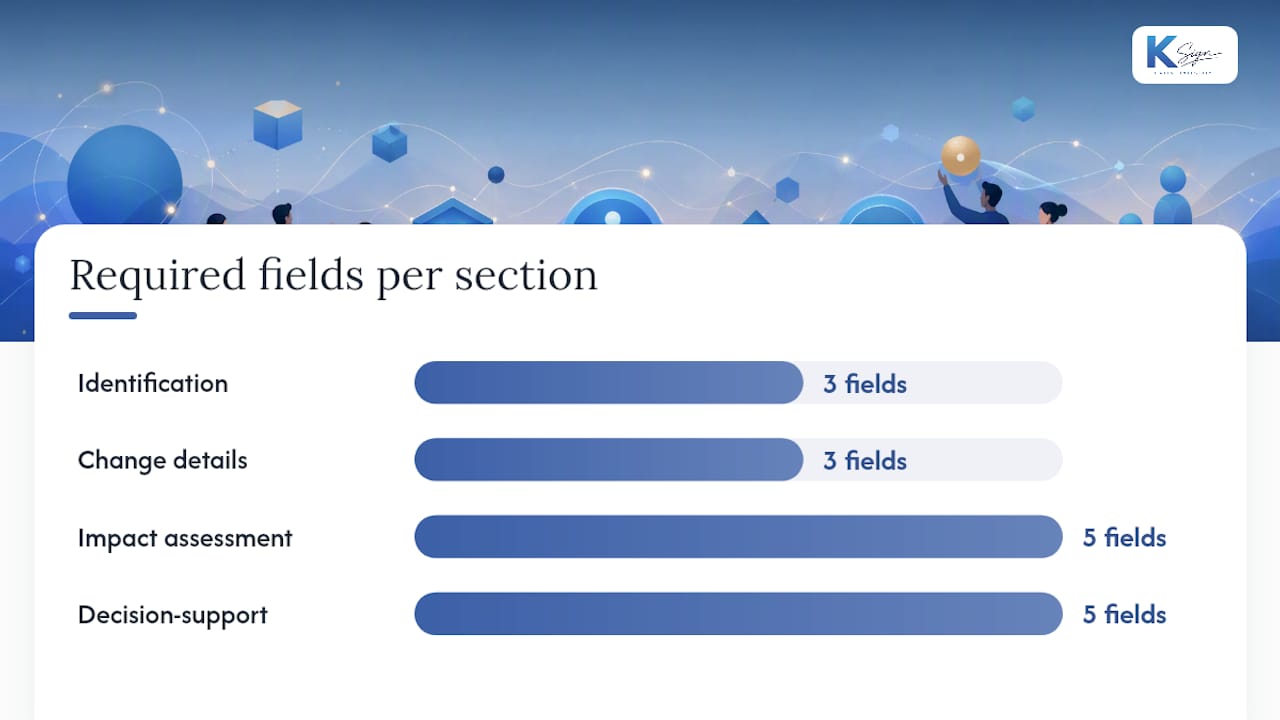
Every change request form template, regardless of industry, needs the same skeleton. Miss one of these fields and reviewers end up chasing the requester by email, which defeats the entire purpose of using a form.
Identification:
- Project name and change request number
- Date submitted
- Requester name and contact details
Change details:
- Title and a concise description of the change
- Reason for the change
- Scope affected (what part of the project this touches)
Impact assessment (the section most forms skip fields on):
- Schedule impact
- Cost impact
- Quality impact
- Resource impact
- Risk impact
A compact, six-field impact approach, covering scope, deliverables, cost, schedule, risk, and stakeholders, gives reviewers a consistent basis for comparing requests, according to Mastt’s change request guidance. Mastt’s own advice is worth repeating here: write “nil” in a field with no impact rather than leaving it blank, so nobody has to guess whether it was overlooked.
Decision-support fields:
- Impact of not responding (what happens if this request sits unaddressed)
- Priority or urgency level
- Proposed implementation date and dependencies
- Attachments (drawings, quotes, screenshots)
- Approval block with names, dates, and signatures
That last field is what makes the form auditable rather than decorative. A record that shows who approved what, and when, protects the project from scope creep long after anyone remembers the conversation that triggered the change, per the principles outlined in change management auditing practice.
Which template variant fits your project?
The basic one-pager works fine for quick approvals and small scope changes where the risk of getting it wrong is low. Once you’re managing something more specialised, add fields rather than switching templates entirely.
An IT change request needs systems affected, a rollback plan, CAB (Change Advisory Board) sign-off notes, and testing evidence. IT change forms commonly separate urgency into standard, normal, and emergency classifications, with approval authority blocks attached to each tier, based on a published IT change form example.
Software or bug-fix requests need reproduction steps, severity rating, and release or build details, since a developer reviewing the request has to recreate the problem before approving a fix.
Construction and variation forms need a cost breakdown, a change order reference number, and a dedicated client approval line, separate from internal sign-off. If you’re managing contractor variations specifically, a change order template built for contractors covers the extra fields builders typically need.
How do you fill out and route a change request form?
A template only works as a control if the process around it is consistent. Here’s the sequence that keeps requests moving instead of stalling in someone’s inbox:
- Submit with a completeness check. Anyone raising a change fills in every field before it goes anywhere, description, reason, and impact assessment included. Incomplete submissions get bounced back immediately, not reviewed as-is.
- Triage and assign priority. Sort each request by urgency and business impact, using the “impact of not responding” field as the deciding factor rather than gut feel.
- Route to the right reviewer. Define in advance who approves what, small changes might need one sign-off, larger cost or schedule impacts need two or three.
- Estimate impact conservatively. When cost or schedule numbers are uncertain, round up rather than down. Reviewers work better with a slightly padded estimate than an optimistic one that blows out later.
- Record the decision and close the loop. Log the outcome, approved, deferred, or rejected, with a date and signature, then update the project baseline if the change goes ahead.
Skipping step five is the most common failure. A form that gets filled in but never formally closed leaves no record for the next audit or client query.
What mistakes should you avoid with change request forms?
The single biggest failure point in change request handling is an incomplete impact assessment. Requesters describe the change but skip what happens if it’s ignored, leaving reviewers to guess at urgency.
Make the “impact of not responding” field mandatory, not optional. It forces the requester to state the real business consequence of inaction, rather than letting the reviewer infer one after the fact.
Keep “what” and “why” in separate fields. Combining the description and rationale into one text box buries the decision criteria reviewers actually need, and it makes the form slower to scan.
Capture attachments, reviewer comments, and timestamps every time. Digital, form-native templates that route into tracked tasks handle this automatically, which matters once requests are coming from multiple people rather than one project manager.
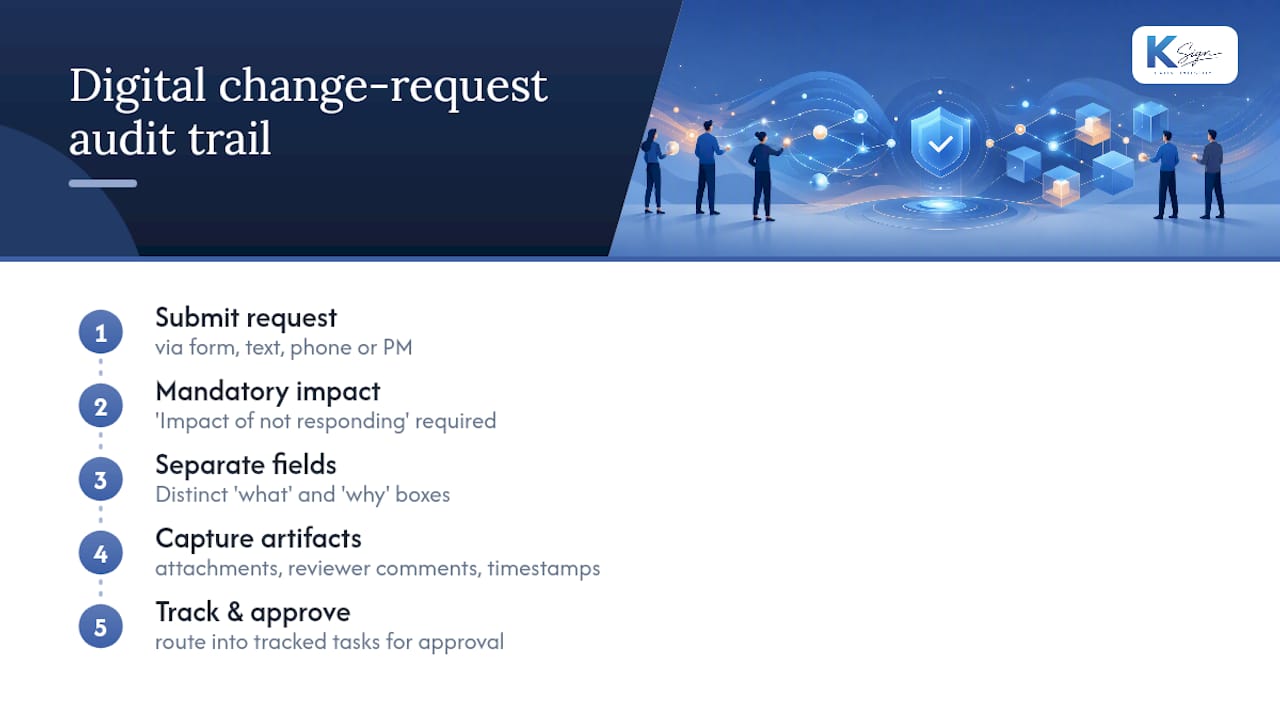
Pro Tip: If change requests arrive from field staff by text or phone call before they ever reach a form, that’s the clearest sign you need a digital version. Static templates work fine when one person controls submission; they break down the moment requests start coming from five different directions at once.
If you’re weighing whether a form-native workflow makes sense for your team, comparing variation approval software against static templates is worth ten minutes before you commit either way.
— Josh
When is a template enough, and when do you need a system?
A downloaded template is fine for single, low-risk changes on small projects. Once changes repeat weekly, or touch compliance and cost approval chains, the setup time for a routed digital form pays for itself in fewer errors and faster sign-off.
Try converting just one recurring change into a digital form and time how long approval takes compared to your current email trail.
A form-native way to handle change requests
Most teams outgrow the static template the moment change requests start needing signatures and money attached, not just approval. That’s the gap Ksign is built for: guided forms that turn a requester’s answers straight into a document, route it for a legally binding e-signature, and collect a deposit or fee in the same workflow.

For a contractor raising a variation, that means the client fills in the change details, the system generates the variation agreement, and the deposit gets collected before work resumes, no separate invoice link, no chasing a signed PDF back by email. The same flow works for a proposal-to-contract sequence when a change request turns into a fresh scope of work, as shown in how the proposal to contract workflow runs end to end. If contractor documentation and approval chains are already part of your process, MOSAIC’s guide to contractor prequalification is a useful companion read.
Ksign’s Standard plan starts at A$24 per month per seat, with a Professional tier at A$40 for teams that need more volume. If you’re currently juggling a Word template, an email chain, and a separate payment link for every approved change, it’s worth seeing what one connected workflow looks like on your own documents.
Sources
The templates and field guidance in this article draw on a handful of libraries worth bookmarking directly:
- Change Request Form Template: Free, Trackable in Asana
- Change Request Form (Free Word Template) — ProjectManager
- Free Change Request Forms and Templates — Smartsheet
- Change Request Form Template (Word, Excel) — Mastt
FAQ
How do I make a change request form?
Start with the core fields, project name, requester, description, reason, impact assessment, and an approval block, then adapt them to your project type. A one-sheet Word template is the fastest way to build one without missing a field.
What are some examples of change requests?
Common examples include a client asking to add a room to a build, a software team needing a scope change after a client-reported bug, an IT department applying an emergency patch outside the usual release window, and a contractor submitting a cost variation for extra materials.
What is a change request form?
A change request form is a standardised document that records a proposed change, its reason, its impact on cost and schedule, and the approvals needed before work proceeds. It exists so decisions are documented rather than agreed to informally and forgotten.
Is there a template for a change order request form?
Yes. Construction-specific change order templates typically add a cost breakdown, a change order reference number, and a separate client approval line on top of the standard fields. Ksign’s contractor change order template is built specifically for that use case, and it converts into a signable, payable document rather than a static file.
Should I use a static template or a digital change request form?
Use a static template for occasional, low-risk changes on a single project. Move to a digital form once requests are frequent, come from multiple people, or need routed approvals, since digital templates that convert into tracked tasks cut down on lost emails and speed up decisions.