
The most effective fix for slow, error-prone patient onboarding is a HIPAA-ready, form-native online intake workflow rather than a static PDF or paper clipboard. Practices that shift to structured digital intake see far fewer consent errors and faster check-in, especially when e-signature and payment collection sit inside the same flow. KSign.co is one practical example of this approach: a platform built to move a patient from form to signed, paid document without switching tools.
TL;DR:
- Digital intake workflows that incorporate built-in e-signature and payment collection significantly reduce errors and speed up patient check-in times.
- Confirm a signed Business Associate Agreement with vendors and ensure encryption, role-based access, and breach procedures are in place for HIPAA compliance.
- Use a standardized, multi-section form structure tailored to your specialty, with conditional fields to simplify patient experience and improve data quality.
- Connect intake forms to your EHR via reliable APIs, and send forms 24 to 72 hours before appointments to maximize completion rates.
- After implementation, regularly review compliance, update forms for legal changes, and maintain staff training to keep the intake process secure and effective.
Table of Contents
- What Should Online Patient Intake Forms Actually Do?
- What Are the HIPAA Compliance Must-Haves for Intake Software?
- How Should a Patient Intake Form Be Structured?
- How Does Digital Intake Connect to Your EHR?
- How Do You Get More Patients to Finish Their Intake Forms?
- How Secure Should Patient Data Storage Be?
- What Does Intake Software Cost?
- How a Form-Native Workflow Solves Everyday Clinic Admin
- How Do You Train Staff to Actually Use This?
- What Happens After Go-Live?
- First 30 days to digitise intake
- Get Your Intake Workflow Running With KSign
- Sources
What Should Online Patient Intake Forms Actually Do?
Online patient intake forms exist to replace the clipboard, not to digitise it badly. A form that just mimics a paper page in a browser window solves almost nothing. The features that matter separate a genuine workflow tool from a glorified PDF upload.
Look for these when screening vendors:
- A drag-and-drop builder that lets non-technical staff edit fields without a developer
- Conditional logic that hides irrelevant questions (no reason to ask a 22-year-old about menopause symptoms)
- Built-in e-signature for consent and financial forms
- File upload fields for insurance cards, referrals, and photo ID
- A genuinely mobile-first interface, since most patients will fill this out on a phone
- Specialty templates that save you from building every form from scratch
Packet workflows matter more than most administrators expect. Grouping registration, consent, and history into a single patient-facing link raises completion rates compared with sending three separate emails and hoping the patient finishes all of them. EHR and practice management API access should sit near the top of any checklist too. Without it, staff end up retyping everything the patient just typed.
What Are the HIPAA Compliance Must-Haves for Intake Software?
No vendor’s marketing claim of “HIPAA-compliant” means anything on its own. Compliance depends on contractual obligations, not just encryption settings. Before you sign with any intake vendor, confirm a signed Business Associate Agreement (BAA) is on the table. HIPAA compliance depends on this contractual arrangement, not a vendor’s technical claims alone, because a BAA is what shifts specific liability for PHI handling onto the vendor rather than leaving it entirely on your practice.
Beyond the BAA, check for:
- Encryption in transit and at rest
- Role-based access controls limiting who sees what
- Documented data retention and deletion policies
- Breach notification procedures written into the contract
Pro Tip: Ask any shortlisted vendor for their BAA template before the demo, not after you’ve paid. If they hesitate or can’t produce one, that’s your answer.
Digital intake can cut consent form completion errors dramatically compared with paper, largely because structured fields stop patients skipping mandatory boxes or writing illegibly. Ask for SOC 2 Type II or HITRUST attestations and PCI-DSS certification if the platform touches payments. A signed BAA plus audit trails is the baseline auditors actually expect, not a footnote on a pricing page.
How Should a Patient Intake Form Be Structured?
Most practices overcomplicate this. A standard patient intake form has six core sections, and building around that structure keeps forms consistent and legally sound.
- Contact and identification — name, date of birth, address, emergency contact
- Insurance and billing — policy details, guarantor information, payment method
- Health history — past conditions, surgeries, family history relevant to the visit
- Medications and allergies — current prescriptions, dosages, known reactions
- Consents and sign-offs — treatment consent, HIPAA Notice of Privacy Practices acknowledgement, financial responsibility
- Access needs — mobility, language preference, communication accommodations
Specialty practices should tweak this template, not abandon it. A dental clinic needs a dedicated dental history block; a mental health practice needs a more careful, plainly-worded consent section and may need to skip physical mobility questions entirely. Tailoring fields to the specialty avoids under-collecting clinical data or over-collecting irrelevant details that create legal exposure without clinical value.
Use conditional fields to keep the form short for each individual patient, even if the master template is long. Nobody wants to scroll through paediatric growth charts on their own intake form.
How Does Digital Intake Connect to Your EHR?
The delivery method changes how much friction patients feel before they’ve even reached a question. Pre-visit sends by SMS or email let patients complete forms from the couch, days before the appointment, which is the least friction of the three common options. In-clinic tablets work as a fallback for walk-ins or patients without reliable internet, but they push the work back onto the day of the visit. QR codes at check-in split the difference, useful for waiting rooms but a poor primary channel for new patients.
Sync options matter as much as the delivery channel. FHIR and HL7 APIs offer the tightest, most reliable connection to an EHR; CSV exports work but introduce lag and manual steps. Data can flow into the EHR or practice management system within minutes when the integration is built properly, eliminating the retyping that eats front-desk time.
- Confirm field mapping during onboarding, not after go-live
- Test a sample patient flow end-to-end before rolling out to real patients
- Group registration, consent, and history into one packet link rather than three separate emails
How Do You Get More Patients to Finish Their Intake Forms?
Timing decides more of your completion rate than form design does. Send forms 24 to 72 hours before the appointment, and follow up with one or two reminders, not five. Front-desk workload and rising no-show rates linked to long paper forms are common triggers for practices finally making the switch, so if either sounds familiar, that’s your cue.
- Keep the form mobile-first with a visible progress bar
- Enable save-and-return so a distracted parent can finish later
- Trim mandatory fields to the genuine minimum; every extra required box adds drop-off
- Keep a paper fallback for patients without a phone or reliable internet
- Have staff verify submitted data at check-in rather than assuming it’s correct
Pro Tip: If you’re seeing high abandonment on one specific field, that field is probably the problem, not your patients. Cut it or make it optional.
How Secure Should Patient Data Storage Be?
Encryption standards, role-based access, and single sign-on with strong password policies form the baseline for any system handling PHI. Anything less leaves a gap an auditor will find eventually.
- AES-256 encryption at rest, TLS in transit
- Role-based permissions so front-desk staff can’t see billing codes they don’t need
- Timestamped, tamper-proof signature audit trails on every consent form
- Configurable document retention aligned to your state’s requirements
Practices should treat compliance as continuous, verifying vendor obligations through the BAA and maintaining internal access policies rather than assuming the software alone makes them compliant. If the platform also collects payments, PCI-DSS validation matters just as much as HIPAA controls; a vendor handling card data without that certification is a liability regardless of how clean their consent forms look.
What Does Intake Software Cost?
Pricing shapes vary more than most administrators expect walking in. Flat monthly fees suit small practices with predictable volume; per-location pricing suits multi-site groups; per-user or per-signature pricing can blow out fast if you have high patient throughput and didn’t model it properly.
Ask every vendor about:
- Setup and implementation fees separate from the subscription
- Integration costs for connecting to your existing EHR or PM system
- Training costs for staff onboarding
- Whether e-signature and payment collection are included or billed as add-ons
Build a simple one-year total cost of ownership figure before comparing quotes: subscription plus setup plus integration plus any per-signature or per-transaction fees. A cheap monthly rate with expensive integration fees is not actually the cheaper option.
How a Form-Native Workflow Solves Everyday Clinic Admin
Most intake problems trace back to disconnected tools: a form here, a PDF there, a separate e-signature app, a separate payment link. A form-native workflow collapses that into one path: form answers become the document, the document gets signed, and payment happens in the same session.
KSign maps directly onto the checklists above:
- AI-assisted form generation to build specialty-specific templates faster than starting from a blank page
- Hybrid envelopes that pair existing PDFs with new web forms, useful for practices with legacy consent documents
- Embedded payment collection so a copay or deposit is handled without a second link
- Full audit trails with timestamped signatures for every consent captured
That structure matters most for smaller clinics without a dedicated IT team to stitch four separate vendors together.
How Do You Train Staff to Actually Use This?
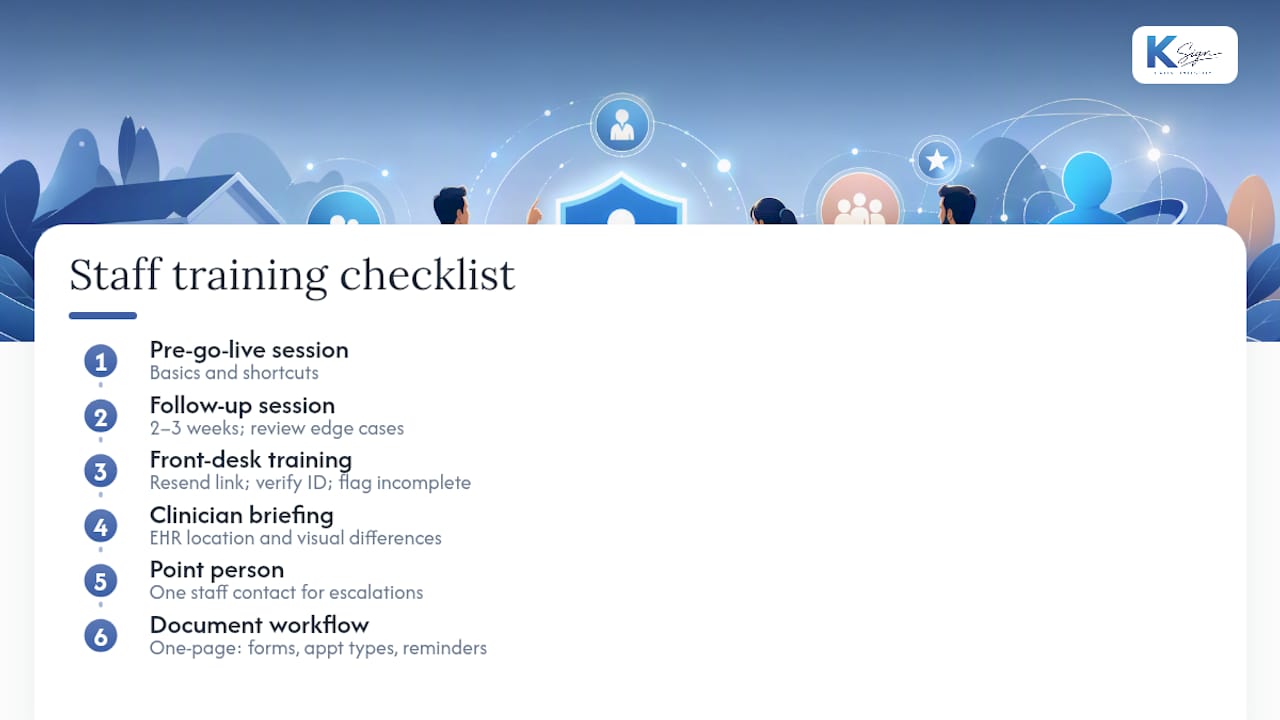
New software fails when staff quietly revert to the old paper process because nobody showed them the shortcuts. Training needs to happen in two stages: a short session before go-live covering the basics, and a follow-up two to three weeks in once staff have hit real edge cases.
Front-desk staff need to know three things cold: how to resend a form link when a patient says they never received it, how to verify submitted data against ID at check-in, and how to flag an incomplete field before the clinician sees the chart. Clinicians need a shorter briefing, mostly focused on where intake data now lives inside the EHR and how it differs visually from what they’re used to reviewing.
Designate one staff member as the internal point of contact for questions in the first month. This person doesn’t need to be technical, just willing to escalate issues to the vendor’s support line rather than letting problems pile up unreported. Most vendors offer a implementation specialist for the first few weeks, and it’s worth using that time fully rather than treating it as optional.
Document the specific workflow your practice settled on, including which forms go out for which appointment types and how reminders are timed. New hires six months later will thank you for a one-page reference instead of having to reverse-engineer it from memory.
What Happens After Go-Live?
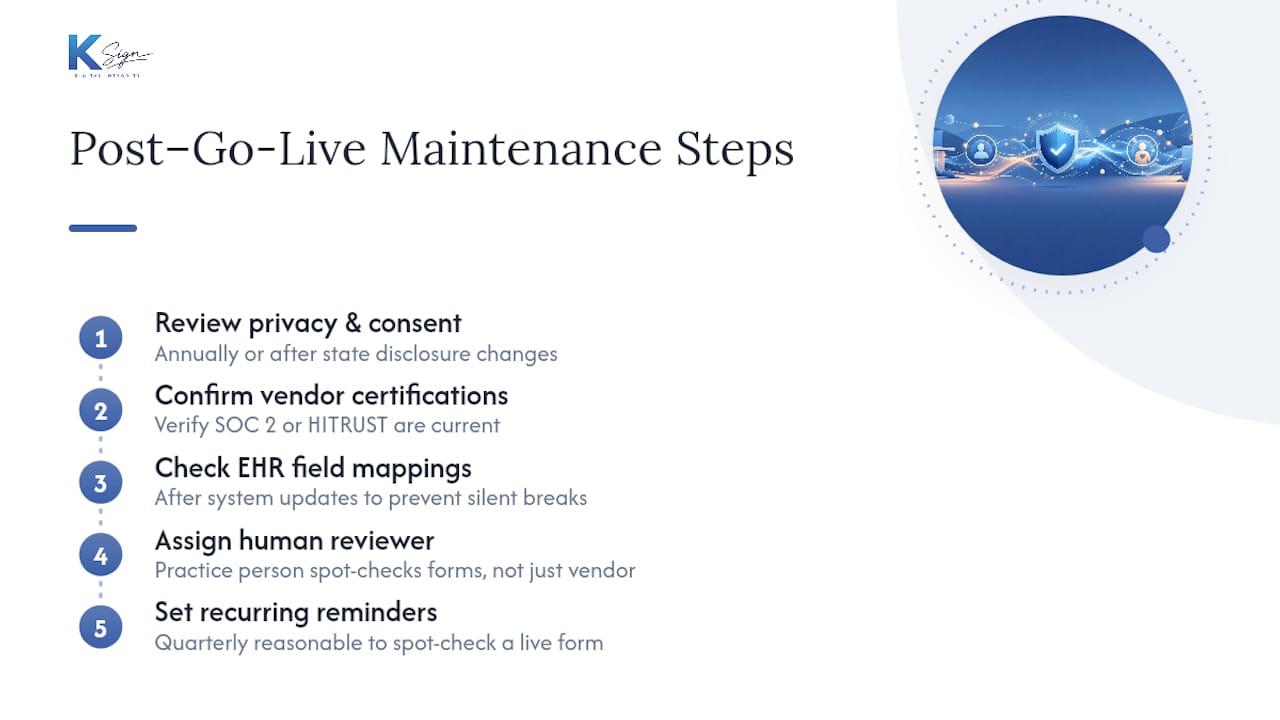
Implementation doesn’t end when the system goes live. HIPAA rules, state-level privacy laws, and payment card standards all shift periodically, and intake forms need to shift with them. A consent form that was compliant last year can quietly become outdated if a state introduces new disclosure requirements.
Build a light maintenance routine rather than waiting for a problem to surface it:
Review your consent language and Notice of Privacy Practices annually, or sooner if your state changes disclosure rules. Confirm your vendor is still current on SOC 2 or HITRUST attestations rather than assuming a certification from onboarding still applies years later. Check that EHR field mappings haven’t drifted after a system update on either side, since a silent mapping break can mean allergy data stops landing where clinicians expect it.
Most vendors push software updates automatically, but compliance changes are a shared responsibility. Your practice still needs someone reviewing form content, not just trusting that the platform handles it invisibly. Set a recurring calendar reminder, quarterly is reasonable for most small practices, to spot-check a live form end to end and confirm nothing has quietly broken.
First 30 days to digitise intake
Ask yourself three things first: does your EHR support API integration, do most patients have smartphone access, and how many new patients do you onboard weekly? In week one, pick one form to digitise, run it alongside your paper process, and brief front-desk staff on verification steps before turning paper off entirely.
— Josh
Get Your Intake Workflow Running With KSign
KSign is the practical alternative to stitching together a form tool, a separate e-signature app, and a separate payment link for patient onboarding. Every checklist above maps to something built into the platform: AI-assisted form creation for specialty templates, hybrid envelopes for practices still holding onto legacy PDFs, embedded payment collection for copays and deposits, and full audit trails on every signed consent.

Instead of paying for four disconnected subscriptions, a form-native workflow means a patient fills in one link and walks out the other side signed, verified, and paid. If your practice is still sending PDFs by email and chasing signatures by phone, start with KSign’s contract automation features to see how form answers turn straight into a signed, payable document. Clinics that also need clean payment integration on the billing side should look at partners like Merchant Solutions Corp’s medical clinic payment processing for the EMR-side piece. Book a walkthrough of KSign and see your first form built before the call ends.
Sources
- HIPAA Compliant Forms for Healthcare | Phreesia
- Patient intake forms: free printable template | Commure
- HIPAA business associate agreement | HIPAA Journal
- The importance of business associate agreements in HIPAA compliance | FBL Law