
Use this ready-to-run SaaS client onboarding checklist to get every new customer to first value fast. It covers every task from deal close to activation, assigns a single owner per line, sets target deadlines relative to contract sign, and includes copy-ready templates for the welcome email, kickoff agenda, and success criteria. Three immediate actions to start today: copy the master table into a shared workspace, assign owners to every row, and schedule the kickoff call within 24 hours of contract sign.
The checklist preview in brief: sales handoff note (CSM, Day 0), account provisioning (implementation lead, Day 1), welcome email with single CTA (CSM, Day 1), intake form sent (CSM, Day 1), kickoff call scheduled (CSM, Day 2), kickoff call held with documented success criteria (CSM, Day 3), data import and integration configuration (implementation lead, Days 3–7), first training session (CSM, Days 5–7), activation milestone confirmed (CSM, Days 7–14), and 30-day health check (CSM, Day 30). Each task carries an evidence marker: a client-confirmed completion, a signed document, or a system event log.
Table of Contents
- What SaaS client onboarding actually means
- Why onboarding quality drives retention and which KPIs to track
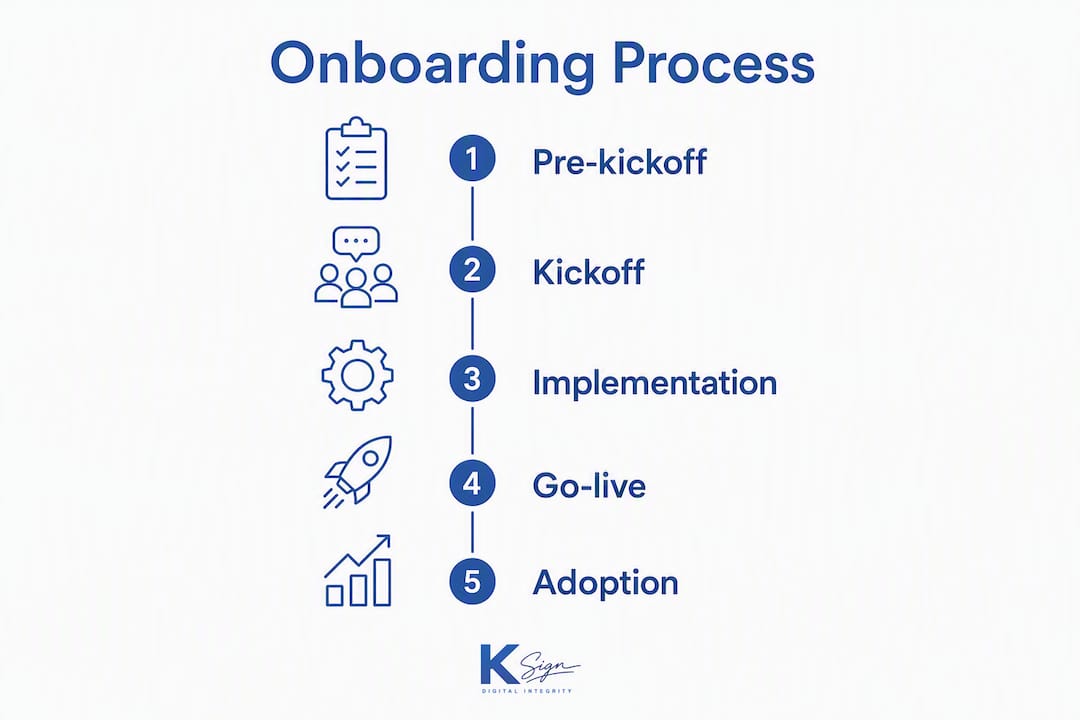
- How to structure a repeatable 5-stage onboarding process
- The master task → owner → deadline checklist
- How to customise your checklist for different segments
- What to automate and which tools handle each part
- Benchmarks and quick wins to reduce time-to-value
- Key takeaways
- What top-performing onboarding teams actually do differently
- Ksign makes the form-to-contract step fast and verifiable
- Useful sources
What SaaS client onboarding actually means
SaaS client onboarding is the staged operational workflow that moves a customer from signed contract to verified, active product use. It is not a product tour. A product tour is a single customer-facing event; onboarding is the internal and external process that orchestrates every step from deal close through to sustained adoption, and it is the process this checklist is designed to govern.
The distinction matters because the two failure modes are different. A poor product tour loses attention. A poor onboarding process loses the customer entirely, usually within the first 90 days.
Two examples clarify what the checklist must capture for each touch model:
- Self-serve onboarding (low-ARR, high-volume): the customer signs up, completes a short intake form, receives an automated welcome sequence, and reaches a defined activation event (for example, first report generated or first integration connected) without speaking to a human. The checklist here is almost entirely automated: form submission triggers account provisioning, a behaviour-triggered email sequence, and an in-app guide. The CSM’s role is exception handling, not hand-holding.
- Sales-assisted onboarding (mid-market or enterprise): a CSM owns the relationship from deal close. The checklist must capture the sales handoff note, a documented kickoff call with agreed success criteria, configuration tasks owned by an implementation specialist, and scheduled human check-ins at Days 7, 30, and 60. Progressive profiling at signup keeps the initial form short, then collects routing details later, which improves conversion while enabling personalised flows for each segment.
Both models share the same underlying structure: a repeatable, staged business process with a single owner per task and a verifiable completion state.
Why onboarding quality drives retention and which KPIs to track
Poor onboarding is not a customer experience problem. It is a revenue problem. Top-quartile SaaS teams reach first value in 5–9 days while median teams take 18–24 days, and poor activation in the first 14 days is the strongest predictor of first-year churn. That gap between the top and the median is almost entirely explained by process quality, not product quality.
Benchmark: Teams relying on disjointed email threads lose a significant share of new clients within the first 90 days, while the top 20% of service businesses complete client onboarding in five days or fewer by using single client portals, automated reminders, and named document requests.
The KPIs that matter most are organised by stage. Tracking too many metrics at once creates noise; the discipline is to assign one primary KPI per stage and review the full set monthly.
| Stage | Primary KPI | Target range |
|---|---|---|
| Pre-kickoff | Time to kickoff scheduled (hours from contract sign) | Under 24 hours |
| Kickoff | Kickoff held within target window | Day 2–3 |
| Implementation | Onboarding task completion rate (client tasks) | 90%+ by Day 7 |
| Activation | Time-to-first-value (days from contract sign) | 5–9 days (top quartile) |
| Adoption | 30/60/90-day health score | Green by Day 30 |
| Retention | 90-day churn rate | Below 5% |
Activation rate and time-to-first-value are the two metrics that most directly predict whether a customer will renew. Track them per cohort, not per individual customer, so you can see whether process changes are moving the needle.
How to structure a repeatable 5-stage onboarding process
A repeatable onboarding process should be organised into stages where every stage has a single owner, a defined trigger, and a primary KPI. Shorter, sharper processes outperform longer, ambiguous ones. The five-stage model below scales from your tenth customer to your ten-thousandth.
Stage 1: Pre-kickoff (Day 0–1, owner: CSM)
Triggered by contract sign. The CSM receives the sales handoff note, provisions the account, sends the welcome email, and dispatches the intake form. Nothing moves to Stage 2 until the intake form is submitted and the deposit or first payment is confirmed. This gate is non-negotiable: a kickoff call held before the client has completed intake almost always results in rework.
Core tasks: receive sales handoff note with deal context; provision account in CRM and product; send welcome email (single CTA: complete intake form); send intake form link; confirm payment or deposit received; schedule kickoff call.
Stage 2: Kickoff (Day 2–3, owner: CSM)
The kickoff call is a structured 45-minute session, not a free-form chat. A kickoff call without a documented follow-up containing agreed success criteria, action items, and ownership commonly causes misalignment and delayed projects. Send the written recap within two hours of the call ending.
Kickoff agenda template (45 minutes):
- 0–5 min: introductions and agenda confirmation
- 5–15 min: client goals and success criteria (what does “done” look like at Day 30 and Day 90?)
- 15–25 min: product walkthrough scoped to their use case
- 25–35 min: implementation plan review (task list, owners, deadlines)
- 35–42 min: client action items confirmed (data files, integrations, admin access)
- 42–45 min: next check-in scheduled
Stage 3: Implementation and configuration (Days 3–10, owner: implementation specialist)
This is the highest-risk stage for stalling. Client tasks (data import, integration credentials, admin user setup) are the most common blockers. Gate progression: the go-live milestone cannot be scheduled until all client-side configuration tasks are marked complete with evidence.

Core tasks: data import or migration; integration configuration; user provisioning and permission setup; custom template or workflow configuration; first training session delivered; client admin sign-off on configuration.
Stage 4: Go-live and activation (Days 7–14, owner: CSM)
Activation is a defined product event, not a feeling. Agree the activation milestone during the kickoff call and record it in the success criteria document. Once the client hits that event, mark the activation task complete with a system log or screenshot as evidence.
Core tasks: activation milestone confirmed and logged; in-app guide or checklist completed by client; first real-world use case executed; CSM check-in call at Day 7 or Day 14.
Stage 5: Adoption and review (Days 14–90, owner: CSM)
Onboarding does not end at go-live. The adoption stage runs three coordinated tracks: in-product checklist, behaviour-triggered email, and human check-ins for higher-value accounts. All three must draw from the same client state to avoid contradictory guidance.

Core tasks: 30-day health check call; usage data review; expansion or upsell conversation if health score is green; 60-day and 90-day check-ins; formal onboarding close and handoff to account management.
Pro Tip: Make the checklist visible to the client and gate progress so client completion drives momentum. Checklist blindness, where only the provider sees the checklist, is a common failure mode. A client-accessible checklist with explicit client tasks and one-click completion actions raises completion rates significantly.
The master task → owner → deadline checklist
Checklists that focus on client actions are better predictors of long-term retention than checklists that only track internal team tasks. Every row below includes an evidence marker so you can verify completion, not just assume it.
| Task | Owner | Deadline | Evidence required |
|---|---|---|---|
| Sales handoff note delivered to CSM | Account executive | Day 0 (contract sign) | Handoff note in CRM |
| Account provisioned in product and CRM | Implementation lead | Day 1 | System confirmation email |
| Welcome email sent (single CTA) | CSM | Day 1 | Email send log |
| Intake form sent to client | CSM | Day 1 | Form dispatch confirmation |
| Deposit or first payment confirmed | Finance / CSM | Day 1 | Payment receipt |
| Intake form completed by client | Client | Day 2 | Form submission record |
| Kickoff call scheduled | CSM | Day 2 | Calendar invite accepted |
| Kickoff call held | CSM | Day 3 | Meeting notes saved |
| Success criteria documented and sent | CSM | Day 3 (within 2 hrs of call) | Recap email sent |
| Data import completed | Implementation lead | Day 5 | Import log or screenshot |
| Integrations configured | Implementation lead | Day 7 | Integration status: active |
| Admin user setup confirmed by client | Client | Day 7 | Client confirmation email |
| First training session delivered | CSM | Day 7 | Attendance record |
| Activation milestone hit | Client | Day 7–14 | System event log |
| 30-day health check completed | CSM | Day 30 | Health score recorded in CRM |
Copy this table into a Google Sheet, Notion database, Airtable base, or your onboarding platform of choice. Add a “Status” column with values: Not started / In progress / Complete / Blocked. Assign each row to a named person, not a role, so accountability is unambiguous.
Copy-ready templates
Welcome email (send Day 1):
Subject: You’re set up — here’s your one next step
Hi [First name],
Welcome aboard. Your account is ready and we’re looking forward to getting you to [specific outcome] quickly.
One thing to do right now: complete your intake form so we can configure your account before our kickoff call. It takes about five minutes.
[Complete intake form — link]
I’ll be in touch within 24 hours to confirm your kickoff time.
[CSM name]
Success criteria snippet (paste into CRM or onboarding portal after kickoff):
Primary goal: [client’s stated outcome, e.g. “reduce contract turnaround from 5 days to same-day”] Activation milestone: [specific product event, e.g. “first contract signed via platform”] Target date: [Day 14 from contract sign] Secondary goals: [list 2–3 supporting outcomes] 30-day health check date: [date] Owner: [CSM name]
How to customise your checklist for different segments
The master checklist is a starting point. Applying it without adjustment to every customer segment is the fastest way to create friction for low-touch accounts and under-serve high-value ones.
-
Segment by ARR and complexity first. Low-ARR self-serve accounts need a compressed checklist: remove the kickoff call, collapse Stages 2 and 3 into a single automated sequence, and rely on in-app guides and behaviour-triggered emails. Mid-market accounts need the full five stages. Enterprise accounts may need a sixth stage for security review, procurement sign-off, or custom integration work.
-
Map tasks to jobs-to-be-done (JTBD), not features. For each client segment, ask: what is the one outcome this customer hired the product to achieve? Build the checklist backward from that outcome. Tasks that do not contribute to that outcome are candidates for removal.
-
Apply an impact-versus-effort filter. For each task, score impact on time-to-value (high/medium/low) and effort to complete (high/medium/low). Keep every high-impact task regardless of effort. Cut low-impact, high-effort tasks unless they are compliance requirements.
-
Test one stage at a time. Pick the stage with the lowest client task completion rate. Change one thing (the wording of a task, the deadline, the owner, or the evidence requirement). Measure for 30 days. Repeat. Changing multiple variables simultaneously makes it impossible to know what worked.
-
Watch for these red flags. If client task completion is below 70% by the end of Stage 3, the checklist has a design problem, not a client problem. Other signals: kickoff calls repeatedly rescheduled (intake form is too long or sent too late), repeated rework in Stage 3 (success criteria were not documented), and CSMs spending more than 20% of their time chasing client responses (the checklist is not visible to the client).
-
Review the full checklist quarterly. Collect feedback from CSMs after every cohort closes. Ask one question: which task caused the most friction this quarter? Fix that task before the next cohort starts.
What to automate and which tools handle each part
Automation does not replace the human relationship in onboarding. It removes the manual overhead that prevents CSMs from focusing on that relationship. Integrating automation into client onboarding workflows can reduce time-to-value by 30–50% versus manual processes, which is a meaningful gain when your median time-to-value is currently 18–24 days.
The highest-value automation opportunities, in order of impact:
Tool categories and typical ownership:
- Guided form builder (implementation lead): collects intake data and routes it to the correct onboarding template. Ksign’s guided online forms handle this step and feed directly into contract generation.
- Contract automation (CSM or implementation lead): generates the service agreement or scope of work from form answers, sends for e-signature, and collects the deposit in one flow. See how online forms generate contracts automatically for a concrete walkthrough of this pattern.
- Workflow automation (product ops or RevOps): orchestrates triggers between tools (for example: form submitted → provision account → send welcome email → create kickoff calendar event).
The Ksign workflow example: client completes a guided intake form → Ksign auto-generates the service agreement from the form answers → client signs electronically → deposit is collected in the same session → CSM receives a completion notification and the onboarding milestone is marked. No manual document preparation, no separate payment link, no chasing. The proposal-to-contract workflow covers the architectural pattern in detail.
The integration principle that matters most: all three activation tracks (in-product checklist, email sequence, human check-ins) must read from the same client state. When they do not, clients receive contradictory guidance, which erodes trust faster than a slow onboarding process.
Benchmarks and quick wins to reduce time-to-value
The gap between top-quartile and median onboarding performance is not explained by product complexity. It is explained by process discipline.
Benchmark: Top-quartile SaaS teams reach first value in 5–9 days, while median teams take 18–24 days. The top 20% of service businesses complete onboarding in five days or fewer by using single client portals, automated reminders, and named document requests.
Five quick wins you can implement this week:
- Send a pre-filled onboarding draft. Populate the intake form with data from the sales CRM before sending it to the client. Reducing the number of fields the client must complete from scratch cuts submission time and increases completion rates.
- Switch to a single-CTA welcome email. Every additional link or action in the welcome email reduces the probability that the client completes the primary task. One email, one link, one action.
- Gate the kickoff scheduling link. Do not send the calendar booking link until the intake form is submitted and the deposit is confirmed. This single gate eliminates the most common cause of rescheduled kickoffs.
- Make the checklist visible to the client. A shared portal where the client can see their outstanding tasks and mark them complete removes the need for CSM follow-up emails and accelerates completion.
- Automate the Day 7 activation nudge. If the activation milestone has not been logged by Day 7, trigger an automated email with a direct link to the specific product action required. Pair it with a CSM notification so a human can intervene if the nudge does not work within 24 hours.
After each quick win, watch one KPI for 30 days: time-to-first-value for the intake form gate, activation rate for the single-CTA email, and onboarding completion rate for the client-visible checklist. Resist the urge to implement all five simultaneously.
Key takeaways
A well-structured SaaS client onboarding checklist, with one owner per task and one KPI per stage, is the most direct lever for reducing time-to-value and cutting 90-day churn.
| Point | Details |
|---|---|
| One owner per task | Assign every checklist row to a named person, not a role, to make accountability unambiguous. |
| Gate on client completion | Do not progress to the next stage until client-side tasks are confirmed with evidence, not just assumed done. |
| Top-quartile benchmark | Top-quartile SaaS teams reach first value in 5–9 days, while median teams take 18–24 days. |
| Kickoff documentation | Send a written recap with success criteria and action items within two hours of every kickoff call. |
| Ksign for contract steps | Use Ksign’s form-to-contract-to-sign-to-pay workflow to automate the intake, agreement, and deposit steps in one session. |
What top-performing onboarding teams actually do differently
The most common mistake in SaaS onboarding is treating the checklist as an internal project management tool rather than a shared accountability system. Teams that consistently hit the top-quartile benchmarks do not have better products or more experienced CSMs. They have better process architecture.
Three habits separate them from the rest.
First, they treat the checklist as a contract with the client. Every client-facing task is visible to the client, carries a named owner on both sides, and has a defined completion state. The client is not a passive recipient of onboarding; they are an active participant with their own task list. When clients can see what is expected of them and tick items off themselves, completion rates rise and CSM follow-up time drops.
Second, they document success criteria before any configuration work begins. The kickoff call is not a product demo. It is a structured session to agree on what “done” looks like at Day 14 and Day 90. Teams that skip this step spend the implementation stage building toward an undefined target, then discover the misalignment at the 30-day health check when it is expensive to fix.
Third, they iterate one stage at a time. The instinct when onboarding is underperforming is to redesign the entire process. That instinct is almost always wrong. Pick the stage with the worst completion rate, change one variable, measure for 30 days, and repeat. This discipline compounds: six quarterly improvements to six different stages produces a fundamentally better process within 18 months, with full visibility into what drove each gain.
The checklist is not the destination. It is the instrument that makes the process verifiable, repeatable, and improvable.
Ksign makes the form-to-contract step fast and verifiable
The intake form and contract steps are where most onboarding workflows lose time. A CSM collects information by email, manually copies it into a Word template, sends a PDF, waits for a signature, then chases a separate payment. That sequence can take three to five days and introduces errors at every handoff.
Ksign removes those handoffs entirely. Your team builds a guided intake form once; when a new client submits it, Ksign auto-generates the service agreement from their answers, sends it for a legally binding e-signature, and collects the deposit in the same session. The CSM receives a completion notification with a full audit trail attached. The entire sequence can complete in under an hour on the client’s first day.

For SaaS teams that need to move clients from signed contract to active account without manual document preparation, Ksign’s contract automation and payment collection capabilities plug directly into the pre-kickoff stage of the checklist above. No per-envelope pricing, no enterprise complexity. Start with a free trial at ksign.co and have your first onboarding workflow running today.
Useful sources
Further reading and the research sources used in this guide:
- The complete guide to client onboarding (OnboardMap): best for benchmarks on onboarding completion times and the business case for single client portals.
- Client onboarding benchmarks and automation (Rocketlane blog): best for automation impact data and time-to-value reduction benchmarks.
- SaaS onboarding process: seven-stage workflow (Gatilab): best for staged process architecture, progressive profiling tactics, and the one-owner-per-stage principle.
- Client onboarding checklist and kickoff best practice (Checkflow): best for kickoff agenda structure and the documented follow-up requirement.
- The complete SaaS customer onboarding checklist (Lyniro): best for the argument that client-action checklists outperform internal-only task lists as retention predictors.
- Customer onboarding checklist (Valuecase): best for the checklist blindness concept and client-visible portal recommendations.
- Customer onboarding checklist template and benchmarks (GetFairview): best for top-quartile versus median time-to-first-value benchmarks.
- Customer onboarding process: step-by-step guide (OnboardingHub): best for staged framework design and per-stage KPI selection.